12 Frontend Project Ideas That Will Level Up Your Skills in 2026
Introduction
Reading documentation and watching tutorials will only take you so far. At some point, you need to build things. The gap between “I understand React” and “I can build a React app from scratch” is filled entirely by projects.
The challenge is picking the right project. Too simple, and you don’t learn anything new. Too complex, and you abandon it after two days. The projects below are all real projects available on BigDevSoon, each with professional Figma designs and structured task cards to guide your implementation. They hit the sweet spot — each one teaches specific skills that employers actually look for, and each one is completable in a reasonable timeframe.
I’ve organized them into three tiers based on difficulty. Start wherever matches your current skill level, and work your way up.
Junior Projects
These projects are rated Junior difficulty. They focus on core frontend fundamentals — DOM manipulation, basic state management, and working with APIs. Each one comes with Figma designs and a task board that breaks the work into manageable steps.
1. Todo App
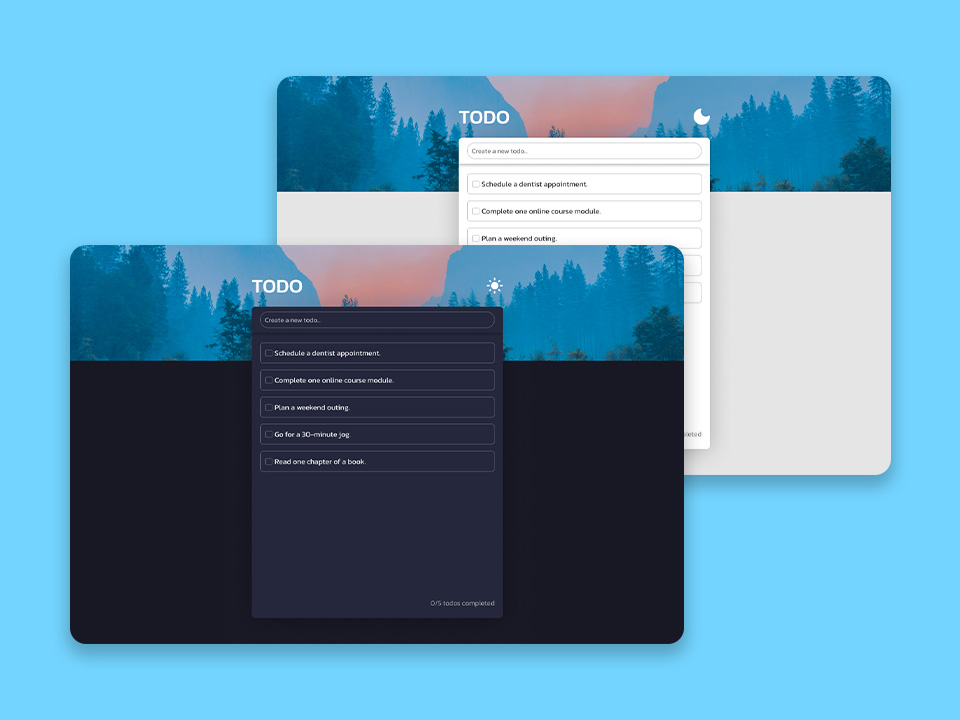
The classic starting point, but done properly. The Todo App goes beyond a basic checklist — you’ll implement dark and light theme switching, drag-and-drop task reordering, and task management with categories. Six task cards guide you through the build step by step.
What you’ll learn: CSS theming with custom properties, drag-and-drop (HTML5 API or a library like dnd-kit), localStorage for persistence, DOM manipulation, responsive design.
Why it matters: Todo apps are the “Hello World” of frontend projects, but adding themes and drag-and-drop transforms it into something that demonstrates real skills. Interviewers have seen a thousand plain todo lists — one with polished interactions and theme support stands out.
2. Quiz App
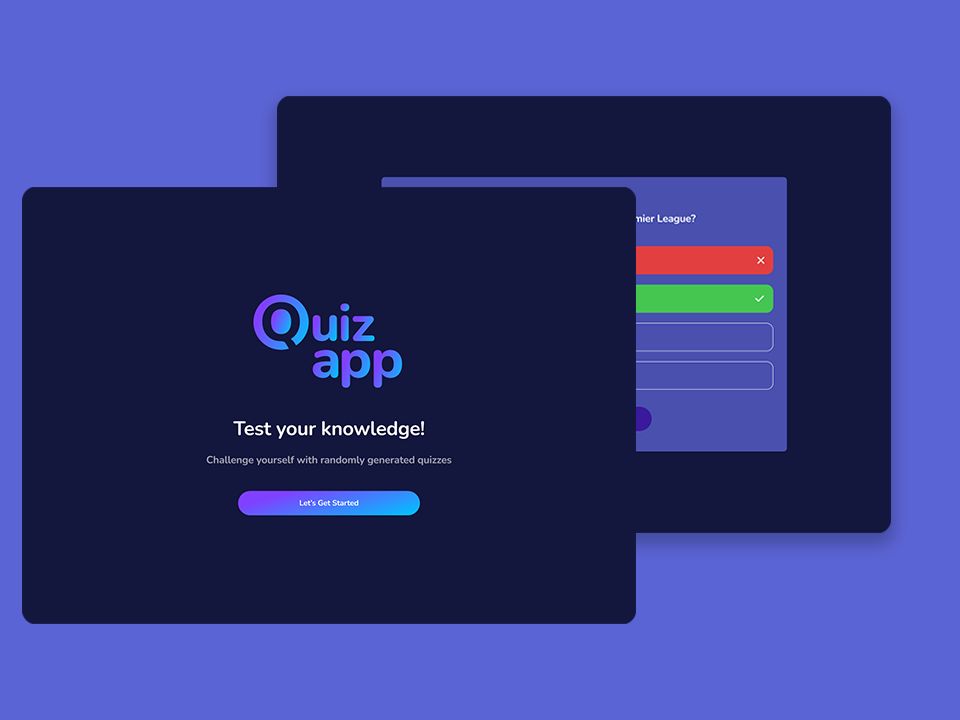
Build a quiz application with multiple-choice questions, a scoring system, countdown timers per question, and a results screen. The Quiz App includes 7 task cards covering everything from question rendering to score tracking and state management.
What you’ll learn: State management without a framework, timer logic with setTimeout/setInterval, event handling, conditional rendering based on game state, working with structured JSON data.
Why it matters: This project forces you to think about application state before you’ve learned any state management library. Managing a quiz’s lifecycle — active question, remaining time, accumulated score, game-over detection — makes React’s useState and useReducer click immediately when you get there.
3. Pokedex
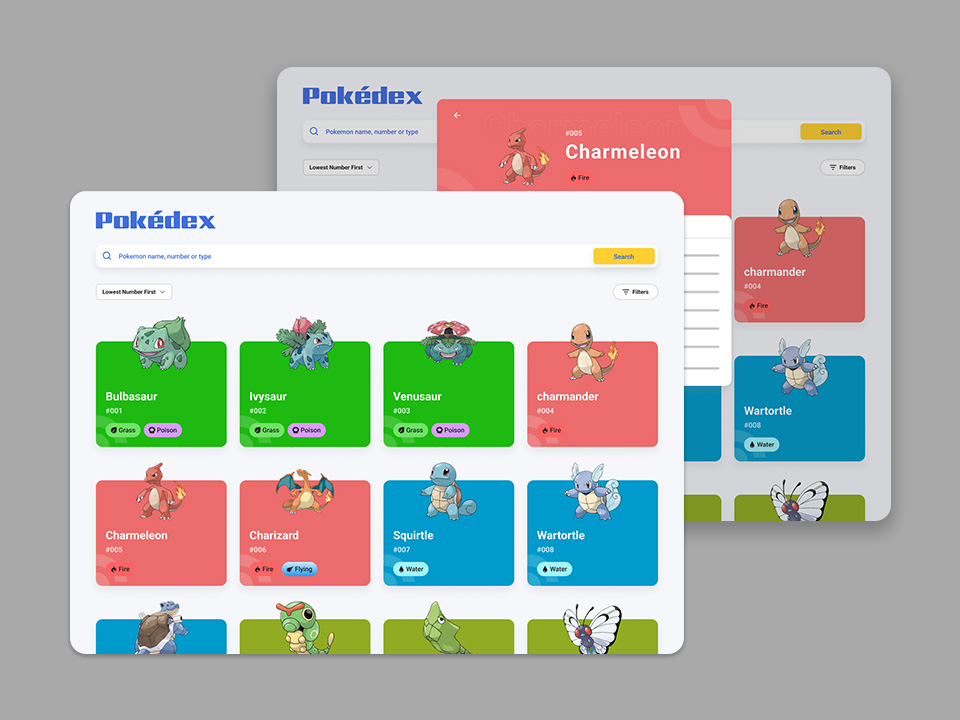
Build a Pokedex that fetches data from the PokeAPI, displays Pokemon in a searchable grid, and supports sorting and filtering. The Pokedex includes 8 task cards that walk you through API integration, search implementation, and filter/sort logic.
What you’ll learn: Fetch API and async/await, parsing nested API responses, search with filtering logic, sorting algorithms, loading and error states, responsive grid layouts.
Why it matters: Almost every frontend job involves fetching and displaying data from APIs. The Pokedex covers the full cycle — request, loading, success, error, and empty states — with a fun dataset that keeps you motivated. The search, sort, and filter combination is one of the most common patterns in production applications.
4. Music Player
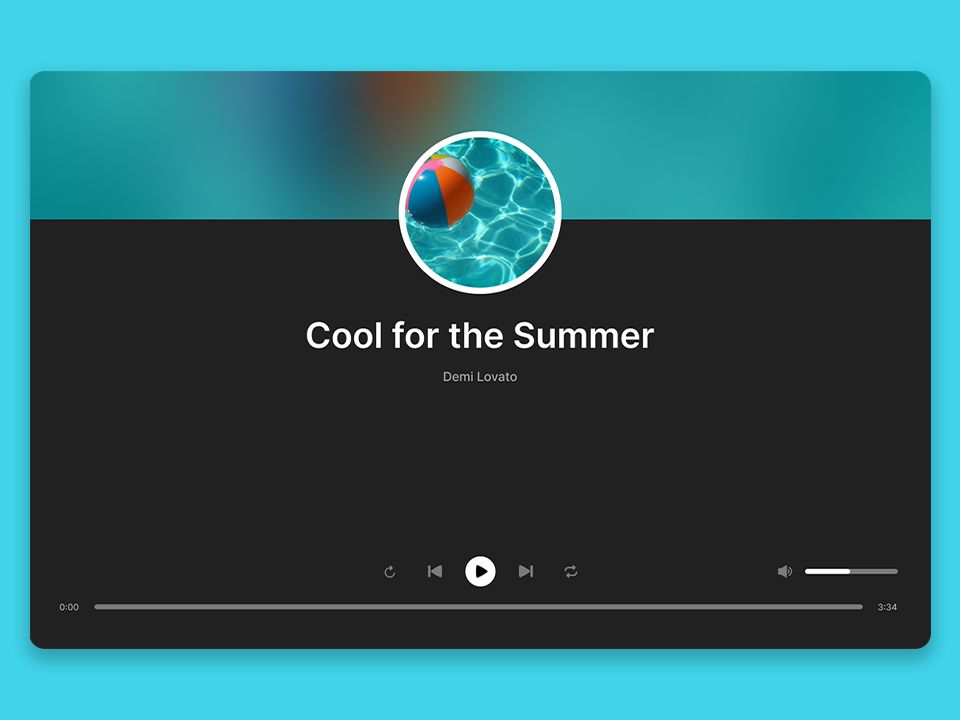
Build a functional music player with play/pause/skip controls, a playlist system, progress bar, and volume control. The Music Player has 6 task cards covering audio API integration, playlist management, and transport controls.
What you’ll learn: The HTML5 Audio API, custom audio controls, playlist data structures, progress tracking with range inputs, keyboard accessibility for media controls.
Why it matters: Working with browser APIs beyond the DOM is a skill gap for many junior developers. The Audio API teaches you event-driven programming patterns that transfer directly to video players, animation libraries, and any real-time interface. If you want to prototype the audio controls quickly, you can use BigDevSoon’s browser code editor to experiment with the Audio API instantly — no local setup needed.
5. Tic Tac Toe
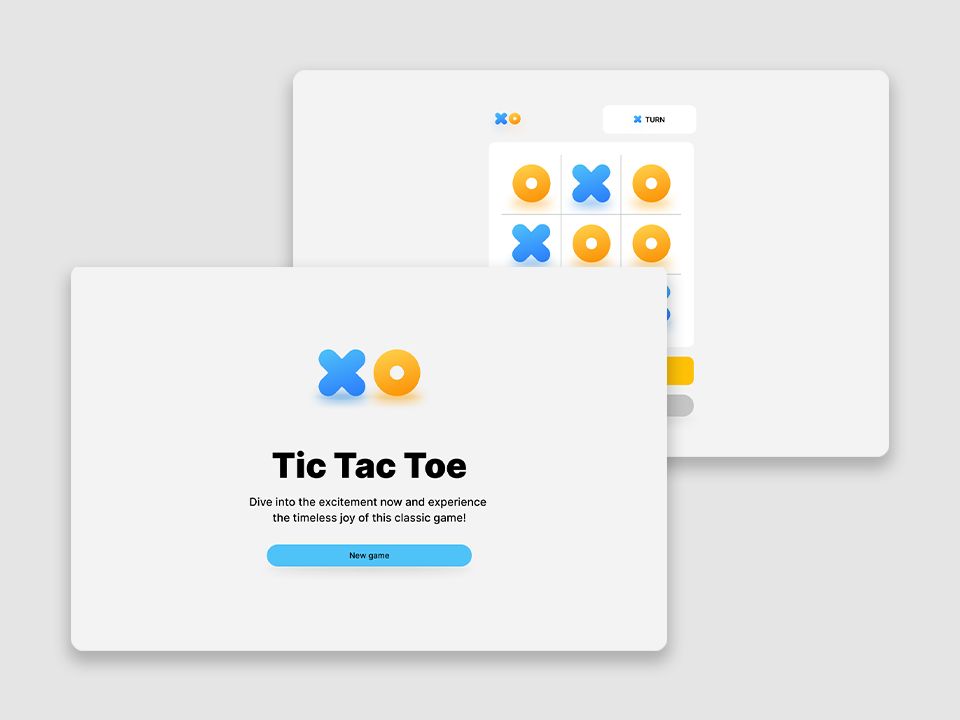
Build a two-player Tic Tac Toe game with win detection, score tracking across rounds, and a clean game reset flow. The Tic Tac Toe has 5 task cards that keep the scope tight while covering essential game logic.
What you’ll learn: Game state management, win condition algorithms, turn-based logic, score persistence, clean UI state transitions between game phases.
Why it matters: Game projects teach algorithmic thinking that other project types don’t. Implementing win detection forces you to work with 2D arrays and pattern matching. The turn-based flow teaches state machine concepts that apply to forms, wizards, and any multi-step UI.
Regular Projects
These projects are rated Regular difficulty. They introduce more complex architecture, external API integration, and patterns you’ll encounter in professional codebases.
6. Find Movies
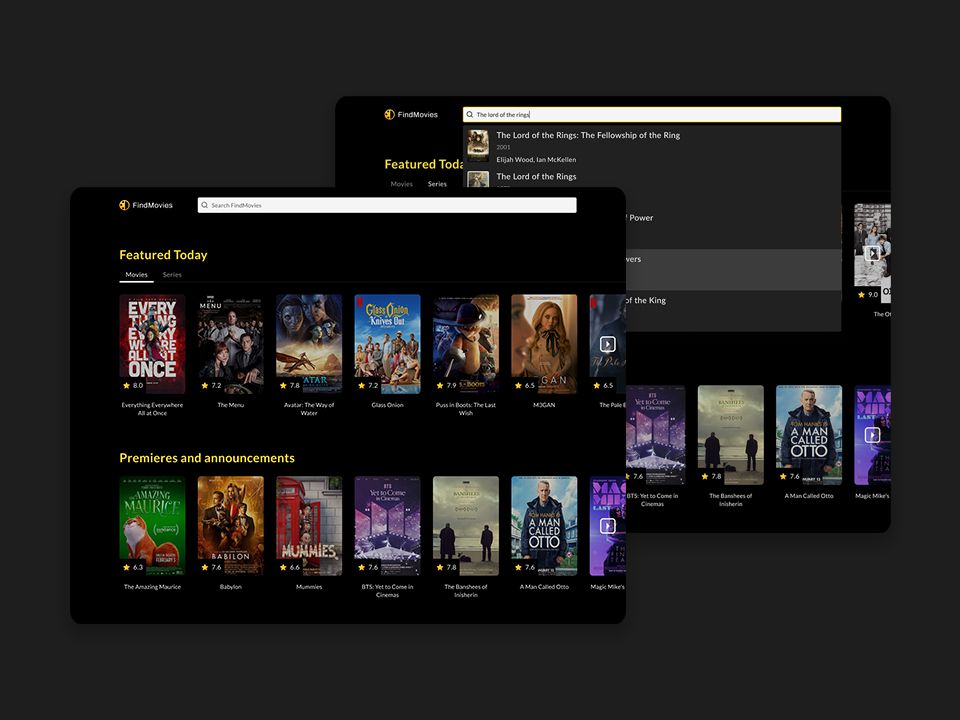
Build a movie discovery app with external API integration, debounced search, infinite scroll, and detailed movie pages. Find Movies is one of the most comprehensive Regular-tier projects with 9 task cards covering API integration, performance patterns, and advanced UI interactions.
What you’ll learn: Debouncing for search performance, infinite scroll with IntersectionObserver, external API integration (OMDB or TMDB), React Router for list-to-detail navigation, loading skeletons, and error boundaries.
Why it matters: This project combines every pattern that matters in production frontend work — API integration, performance optimization, pagination, and navigation. Debouncing and infinite scroll are interview favorites, and implementing them yourself builds deep understanding of timing and browser APIs.
7. Code Editor
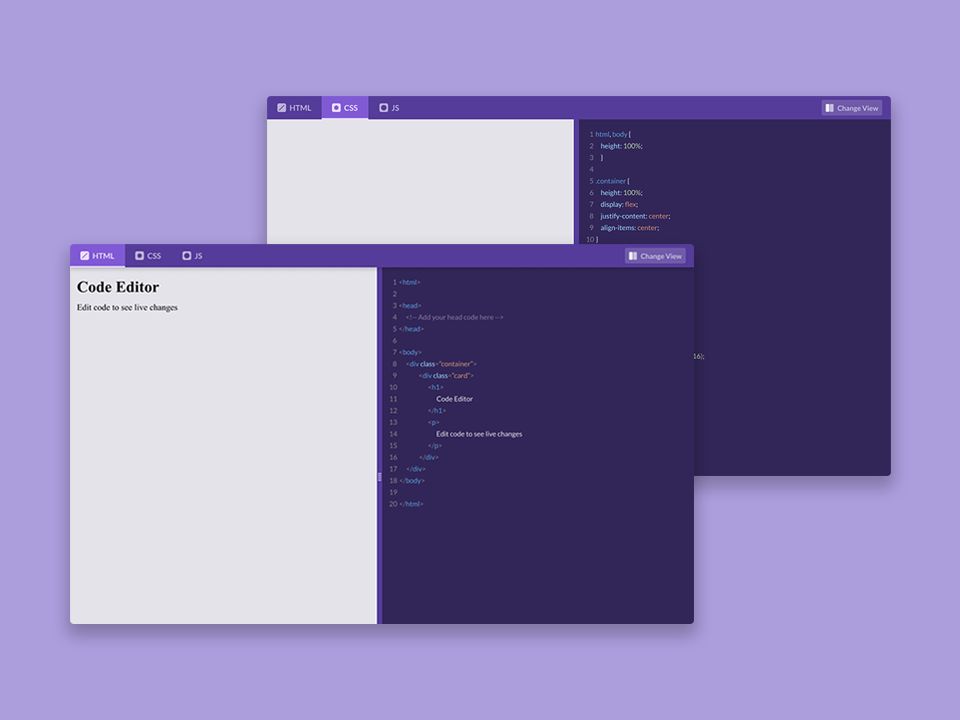
Build a code editor with live preview, syntax highlighting, and a split-pane layout. The Code Editor is a 10-card project that covers real-time content transformation, editor integration, and synchronized views.
What you’ll learn: Code editor library integration (CodeMirror or Monaco), real-time preview rendering, split-pane layouts with resizable panels, localStorage for saving work, keyboard shortcut handling.
Why it matters: Split-pane editors with live preview are everywhere — from CMS platforms to documentation tools to CodePen-style playgrounds. Building one teaches you synchronized views, debounced rendering, and iframe communication patterns that come up constantly in production apps.
8. Blog
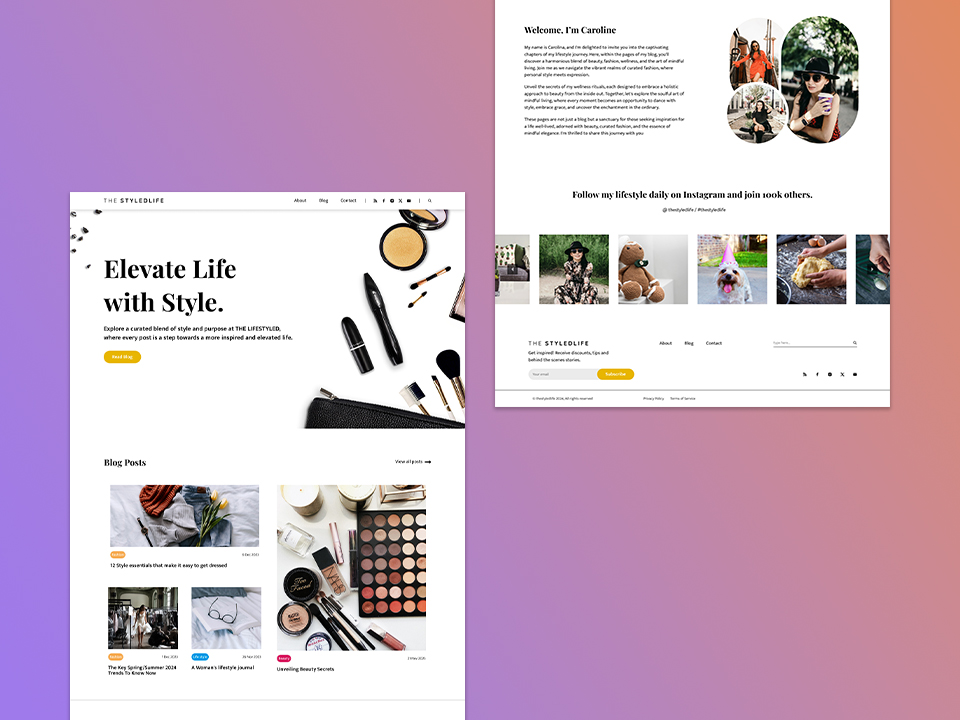
Build a full blog platform with content management, multi-page routing, SEO-friendly markup, and responsive layouts. The Blog is a substantial 12-card project covering CMS patterns, routing architecture, and content rendering.
What you’ll learn: React Router for multi-page navigation, dynamic routing with URL parameters, Markdown or rich text rendering, SEO patterns (meta tags, structured data), responsive typography and content layouts.
Why it matters: Blog platforms touch nearly every skill a frontend developer needs — routing, data fetching, content rendering, SEO, and responsive design. Building one from a professional Figma design teaches you to translate a designer’s vision into production-quality code, which is a skill you’ll use every day at a job.
9. Character Generator
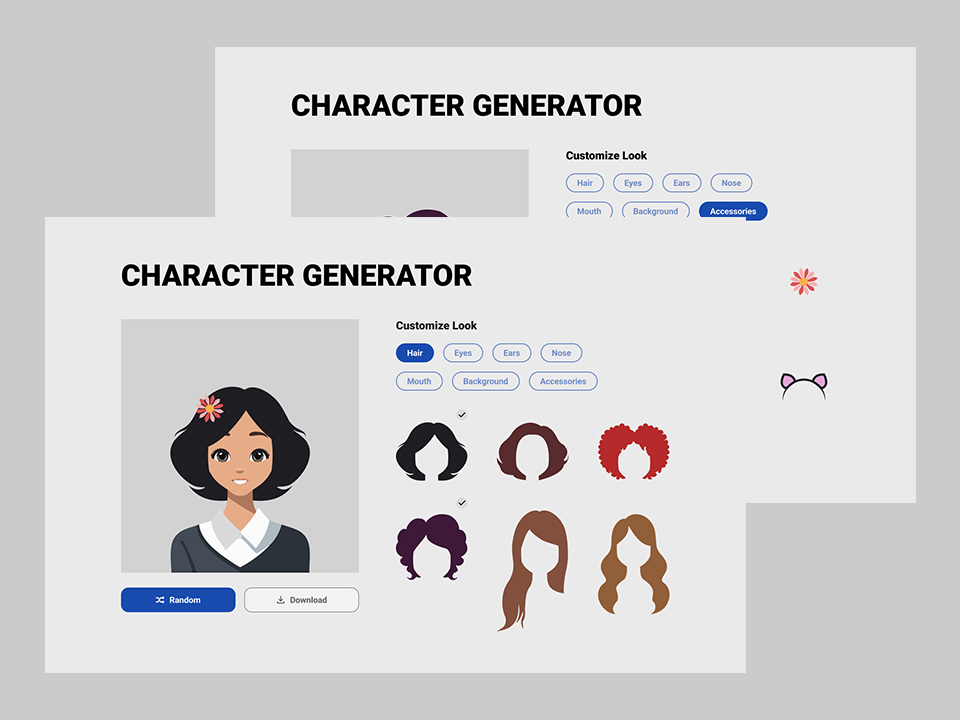
Build a character creation tool that generates unique characters using SVG manipulation, canvas drawing, or both. The Character Generator has 8 task cards covering vector graphics, randomization, and interactive customization.
What you’ll learn: SVG manipulation and animation, Canvas API basics, randomization algorithms, interactive UI controls for customization, export/download functionality.
Why it matters: Most frontend developers never work with SVG or Canvas beyond dropping in an icon library. This project gives you hands-on experience with vector graphics and programmatic drawing — skills that are rare and valuable, especially for roles involving data visualization, design tools, or creative applications.
Senior Projects
These projects are rated Senior difficulty. They involve complex data handling, advanced component architecture, and the kind of work you’d find in a real production codebase.
10. Dashboard
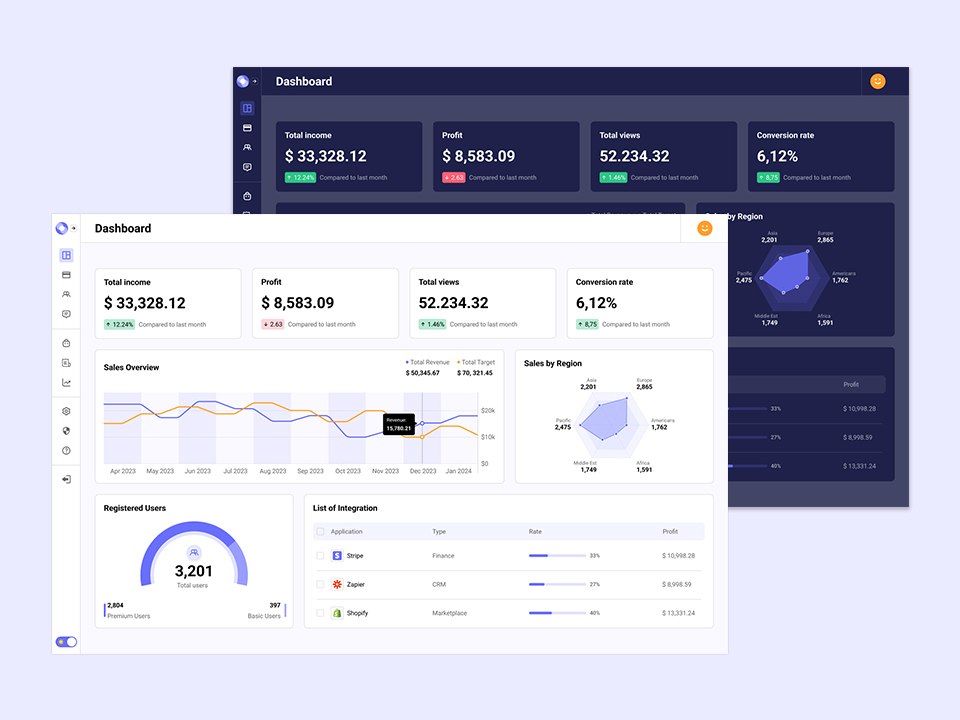
Build an analytics dashboard with charts (bar, line, pie), data tables with sorting and pagination, date range filters, and a responsive sidebar layout. The Dashboard is a 14-card project — the most substantial on the platform — covering data visualization, complex layouts, and performance optimization.
What you’ll learn: Chart library integration (Recharts, Chart.js, or D3), complex filtering and aggregation logic, responsive dashboard layouts with collapsible sidebars, data tables with sorting, pagination, and search, performance optimization with large datasets.
Why it matters: Dashboards are one of the most common things frontend developers build in B2B companies. The combination of charts, tables, filters, and responsive layouts in a single project mirrors what you’ll encounter on real engineering teams. This is a portfolio piece that speaks directly to hiring managers.
11. Find Movies (Extended)
Take the Find Movies project further by adding user authentication, watchlists with persistence, recommendation algorithms, and social features like sharing and reviews. The 9 task cards in the base project provide a solid foundation that you can extend into a full-stack application.
What you’ll learn: Authentication flows (OAuth or JWT), CRUD operations with a backend (Supabase or Firebase), optimistic UI updates, complex state management across authenticated and public views, deployment and environment configuration.
Why it matters: Extending a project beyond its initial scope is exactly what happens in real jobs. Features get added, requirements change, and you need to refactor your architecture to accommodate growth. This exercise teaches you to evolve a codebase rather than just build one from scratch.
12. Blog (Extended)
Take the Blog project to production level by adding user authentication, a rich text editor for post creation, comments, likes, and user profiles. The 12-card Blog gives you the foundation, and you extend it into a full content platform.
What you’ll learn: Rich text editor integration (Tiptap, Slate, or ProseMirror), user authentication and authorization, comment threading and moderation patterns, image uploads and optimization, full-stack deployment with a real backend.
Why it matters: This is the closest you’ll get to a real production app without being on a team. Authentication, CRUD, rich text editing, routing, and deployment — these are the skills that separate “I know React” from “I can build and ship a React application.”
How to Get the Most Out of These Projects
Building projects is only valuable if you approach them deliberately. Here are a few principles that make the difference:
Build from professional designs. Building from a Figma design is fundamentally different from making up the UI as you go. It teaches you to translate a designer’s vision into code — a skill you’ll use every day at a job. Every project listed above comes with professional Figma designs on BigDevSoon, so you can focus on implementation rather than design decisions. For context on how this approach compares to other platforms, see how BigDevSoon stacks up against Frontend Mentor.
Use task cards to stay on track. Each BigDevSoon project breaks the work into discrete task cards. Don’t try to build everything at once. Complete one card, verify it works, then move to the next. This mirrors how professional teams work with ticket-based development.
Pair projects with focused practice. Projects build breadth, but daily coding challenges and practice problems build depth. The 100 Days of Code challenges — like building a Profile Card challenge on Day 1, a Kanban Board challenge on Day 13, or a Shopping Cart challenge on Day 14 — are perfect complements to longer projects. Doing both accelerates your growth faster than either alone. For a broader view of practice options, see this comparison of the best coding platforms in 2026.
Use the browser editor for quick experiments. BigDevSoon’s browser code editor supports 7 framework modes — React, Vue, TypeScript, Angular, Svelte, Vanilla JS, and ES Modules — with live preview and npm package support. Use it to prototype ideas before committing to a full local build, or to work through challenges directly in the browser.
Ship something ugly, then refine. Get a working version first. Then improve the design, refactor the code, add edge case handling. Perfection on the first pass is a trap.
Getting Started
You don’t need to build all 12. Pick the one that matches your current level and interests, and start today. If you’re a beginner, the Todo App or Quiz App are excellent starting points. If you’re intermediate, Find Movies will challenge you in all the right ways. If you’re advanced, the Dashboard is the project that will make your portfolio stand out.
If you’re ready to start building, BigDevSoon is running a spring sale — use code SPRING50 for 50% off all plans. See plans.
Every project comes with Figma designs, a task board to keep you on track, and the Merlin AI assistant to help when you get stuck.
The developers who get hired in 2026 aren’t the ones with the most certificates. They’re the ones who can point to real things they’ve built and explain the decisions behind them. Start building.
Practice what you just learned in our browser editor with AI assistance.
Try Demo Editor
Creator of BigDevSoon
Full-stack developer and educator passionate about helping developers build real-world skills through hands-on projects. Creator of BigDevSoon, a vibe coding platform with 21 projects, 100 coding challenges, 40+ practice problems, and Merlin AI.


Related Posts
How to Learn React by Building Real Projects (Not Just Tutorials)
Stop watching React tutorials. Start building real projects with Figma designs, test cases, and AI assistance. Here's a practical roadmap to learn React by doing.
Best Vibe Coding & Practice Platforms in 2026: An Honest Guide
Comparing BigDevSoon, Frontend Mentor, LeetCode, and freeCodeCamp — vibe coding, traditional practice, pricing, and which platform fits your learning style.
10 CSS Features That Replace JavaScript — No Libraries, No Build Step
CSS can now replace scroll listeners, positioning libraries, animation frameworks, and Sass preprocessors. 10 interactive demos you can edit live.
Quick Knowledge Pills

Adjust box sizing in CSS
Adjust box-sizing property to include padding and border to actual width or height. Simplifies overhead of the box model.
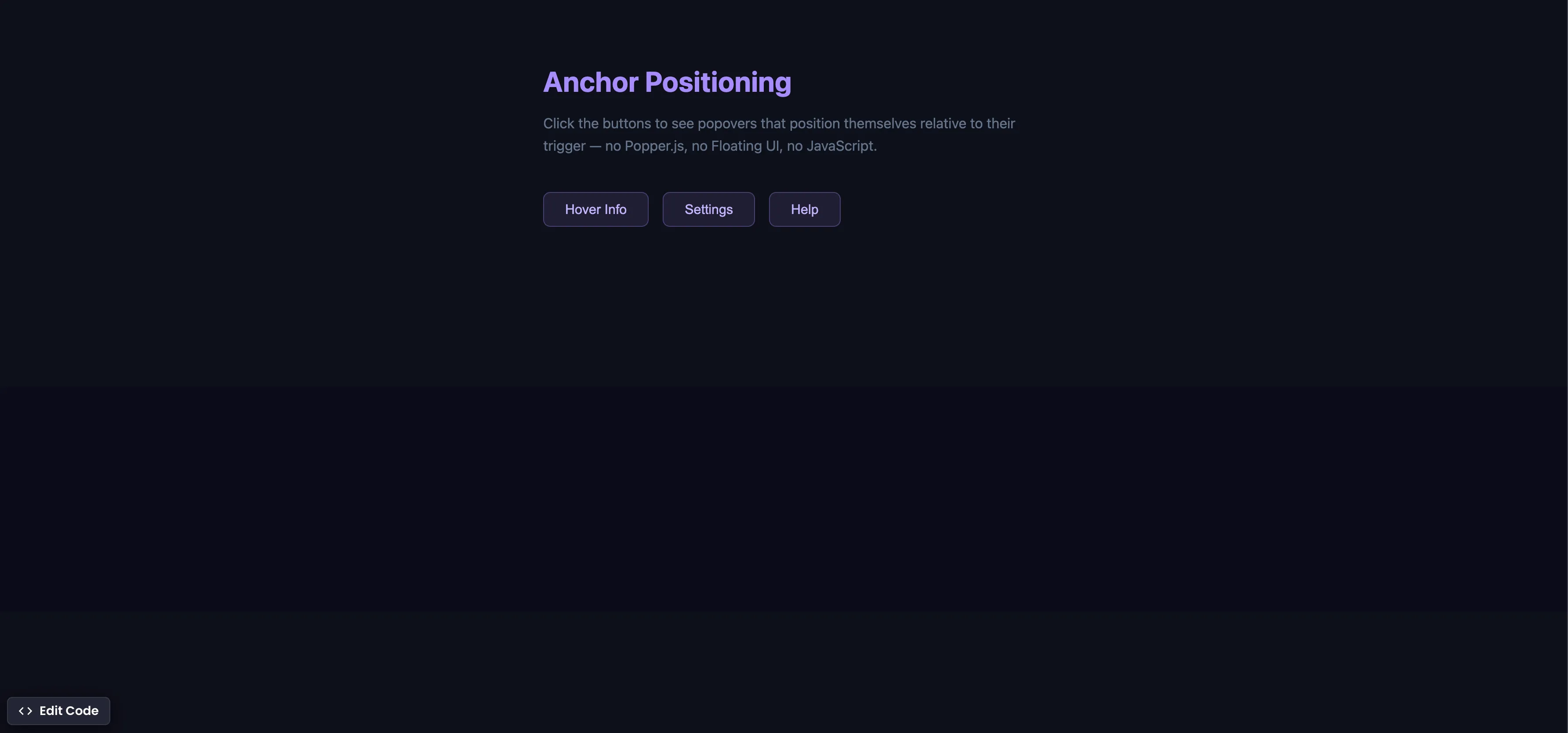
CSS Anchor Positioning
Position popovers relative to any element using CSS anchor positioning — no JavaScript positioning library needed.
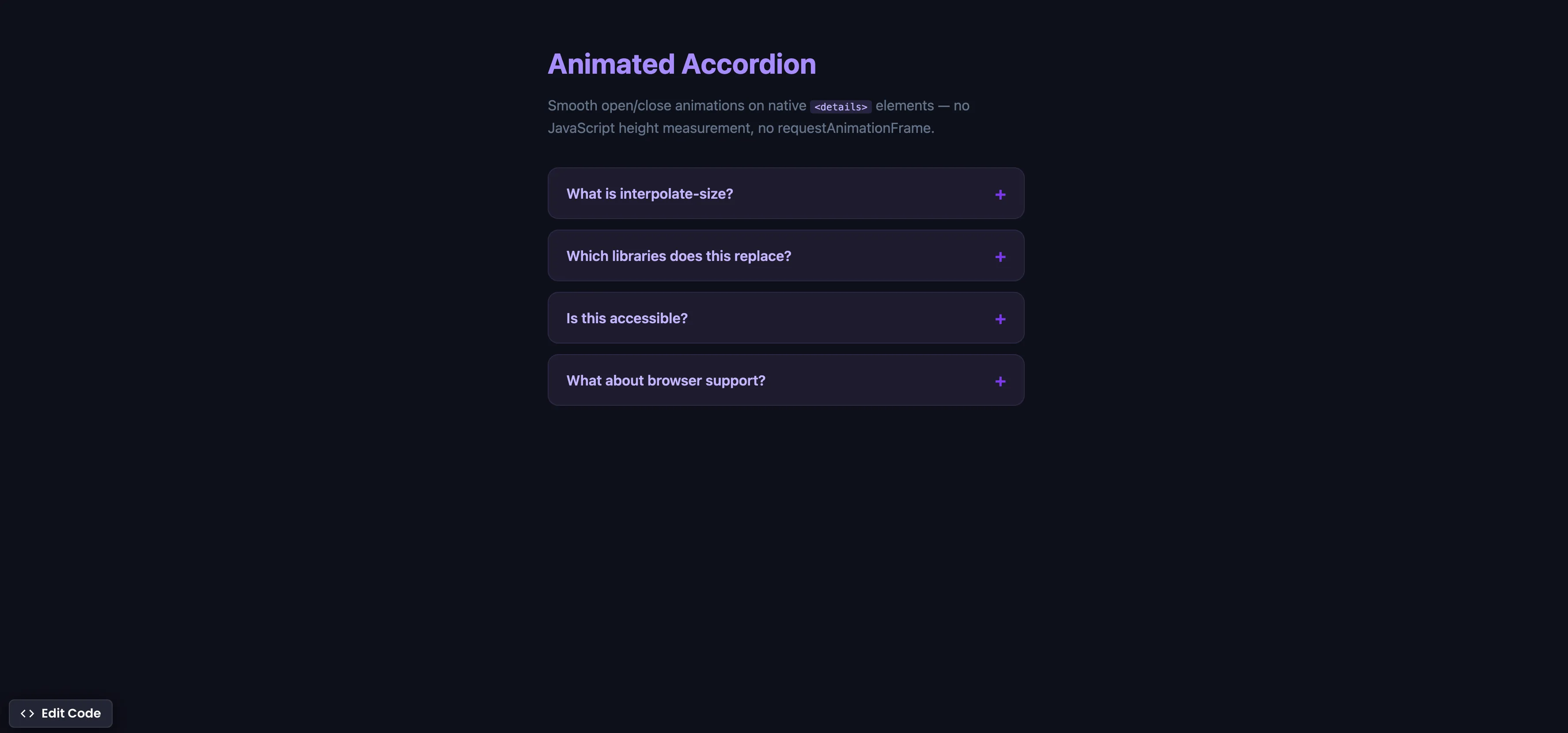
CSS Animated Accordion
Smooth open/close animations on native details elements using interpolate-size — no JavaScript height measurement.