css Beginner
Native CSS Nesting
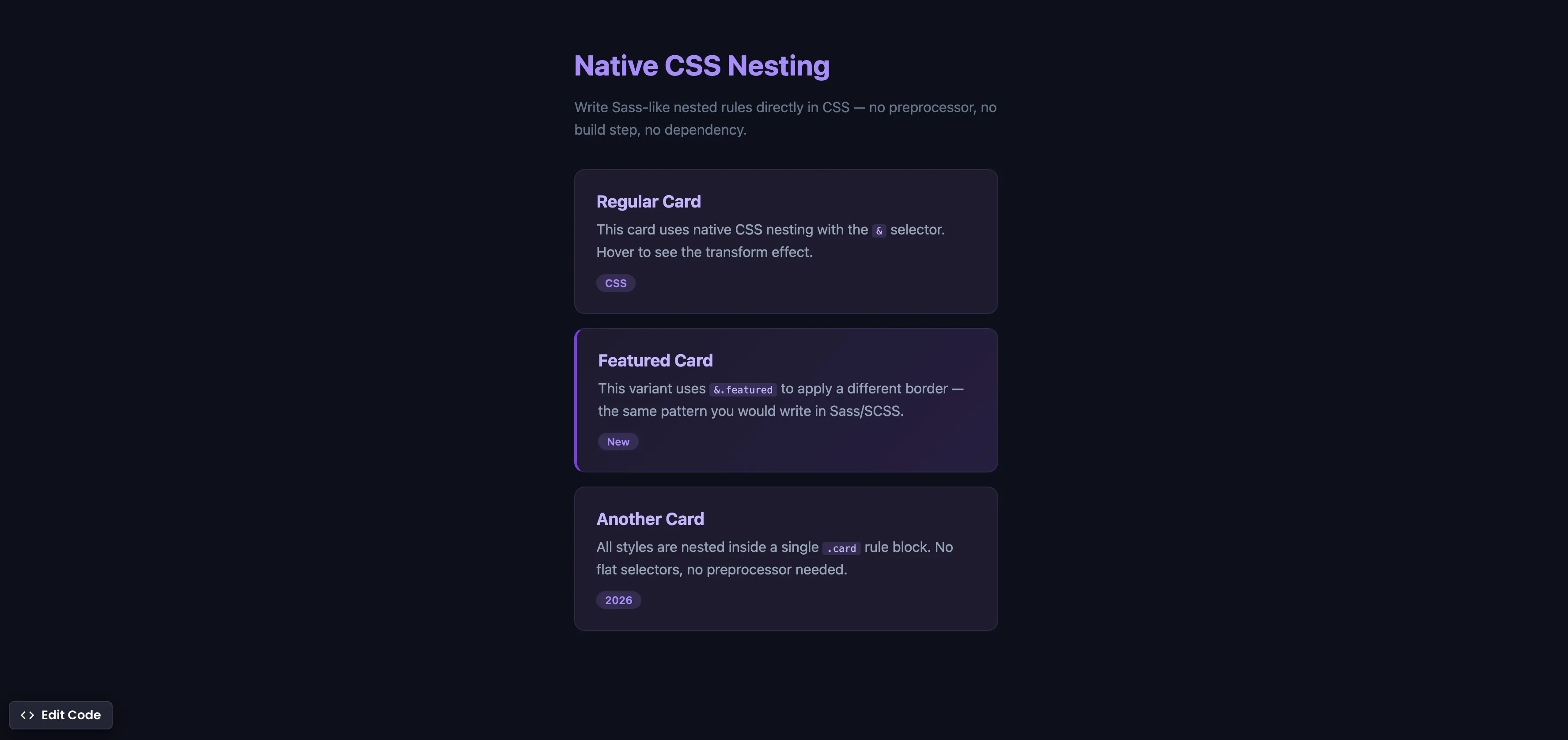
Interactive editor — edit code and see live results
Open in Editor
How It Works
.card {
  background: #1e1b2e;
  padding: 24px;
  border-radius: 12px;

  & h3 {
    color: #c4b5fd;
  }

  & p {
    color: #94a3b8;
  }

  &:hover {
    transform: translateY(-3px);
    box-shadow: 0 8px 24px rgba(0, 0, 0, 0.4);
  }

  &.featured {
    border-left: 3px solid #7c3aed;
  }
}
Summary
- The
&selector works just like in Sass/SCSS — it represents the parent selector and lets you nest child rules, pseudo-classes, and modifier classes inside a single block. - Native CSS nesting means you can write scoped, readable styles without any build tool or preprocessor.
- If you only used Sass for nesting (many developers do), you can now drop the dependency entirely.
- Nesting supports all the same patterns: child selectors (
& h3), pseudo-classes (&:hover), compound selectors (&.featured), and media queries (@mediacan be nested too). - Supported in Chrome 112+ (Apr 2023), Safari 16.5+ (May 2023), Firefox 117+ (Aug 2023), and Edge 112+. Fully cross-browser since August 2023.
Try this in our interactive code editor
Practice hands-on with our built-in code sandbox.
Open Code Editor
Adrian Bigaj 

Creator of BigDevSoon
Full-stack developer and educator passionate about helping developers build real-world skills through hands-on projects. Creator of BigDevSoon, a vibe coding platform with 21 projects, 100 coding challenges, 40+ practice problems, and Merlin AI.
Related Pills

css Beginner
Adjust box sizing in CSS
Adjust box-sizing property to include padding and border to actual width or height. Simplifies overhead of the box model.

css Beginner
Outline HTML elements
Outline all your HTML elements with a single line of CSS.

css Beginner
Place HTML Elements Absolutely with CSS
Use a combination of position relative and absolute to place text on the image card.