css Intermediate
CSS :has() Form Validation
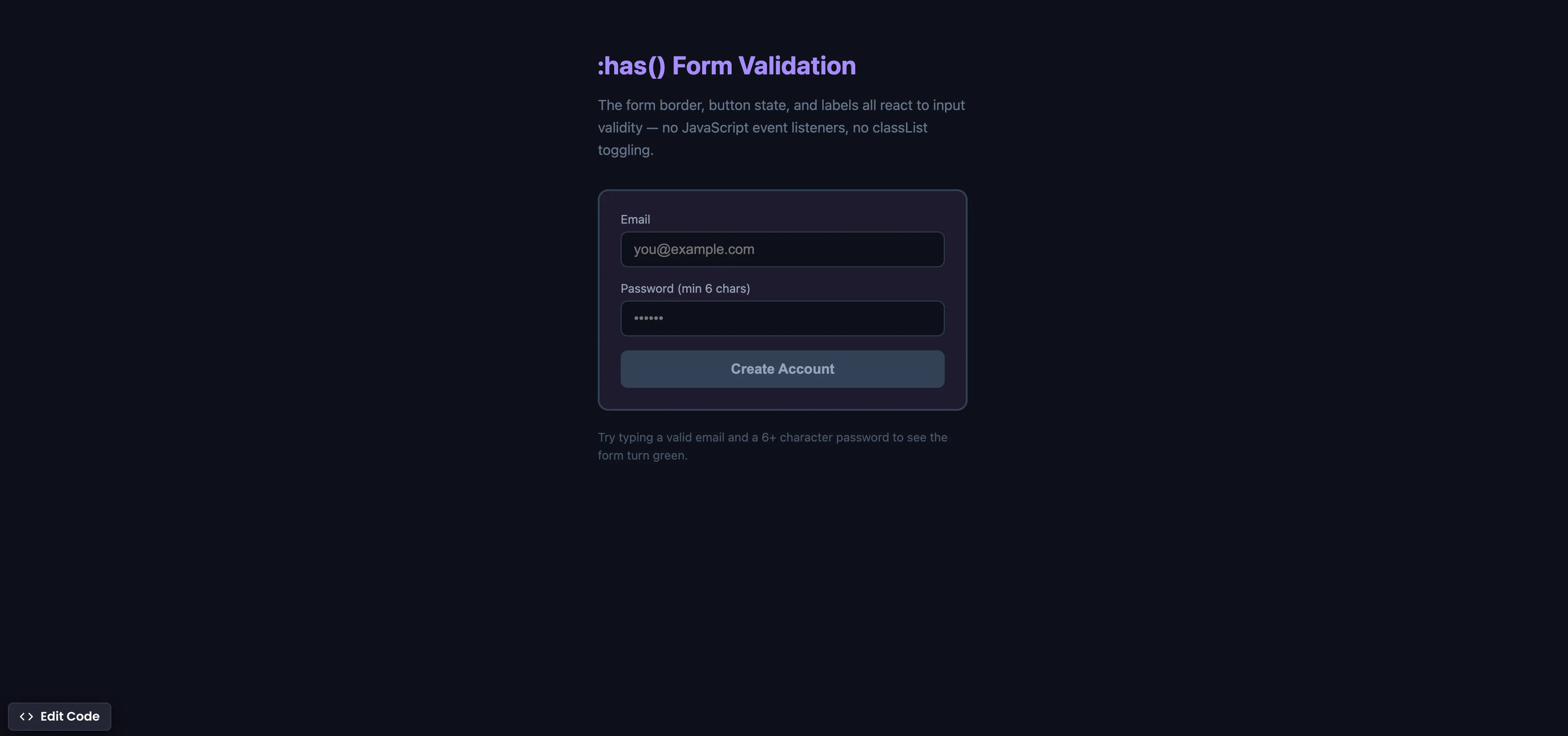
Interactive editor — edit code and see live results
Open in Editor
How It Works
/* Green border when all inputs are valid */
.form:has(input:valid:not(:placeholder-shown)):not(:has(input:invalid:not(:placeholder-shown))) {
  border-color: #22c55e;
}

/* Red border when any touched input is invalid */
.form:has(input:invalid:not(:placeholder-shown)) {
  border-color: #ef4444;
}

/* Disable submit button when form is invalid */
.form:has(input:invalid:not(:placeholder-shown)) .submit {
  opacity: 0.5;
  pointer-events: none;
}
Summary
:has()is the “parent selector” CSS never had — it lets you style a parent element based on the state of its children.:not(:placeholder-shown)ensures styles only apply after the user has interacted with the input, avoiding premature red borders on empty fields.- The form border, label colors, and submit button state all react to input validity in real time — with zero JavaScript event listeners.
- This replaces the common pattern of attaching
inputevent listeners, checkingvaliditystates, and toggling CSS classes withclassList. - Supported in Chrome 105+ (Aug 2022), Safari 15.4+ (Mar 2022), Firefox 121+ (Dec 2023), and Edge 105+. Fully cross-browser.
Try this in our interactive code editor
Practice hands-on with our built-in code sandbox.
Open Code Editor
Adrian Bigaj 

Creator of BigDevSoon
Full-stack developer and educator passionate about helping developers build real-world skills through hands-on projects. Creator of BigDevSoon, a vibe coding platform with 21 projects, 100 coding challenges, 40+ practice problems, and Merlin AI.
Related Pills

css Intermediate
CSS Relative Units
Do you only use pixels or % in CSS? Open yourself to more possibilities and best practices.

css Intermediate
Flexbox equal height cards
Make all cards equal height with flexbox. Especially helpful when content is dynamic.

css Intermediate
CSS Anchor Positioning
Position popovers relative to any element using CSS anchor positioning — no JavaScript positioning library needed.