css Beginner
CSS color-mix() Palette
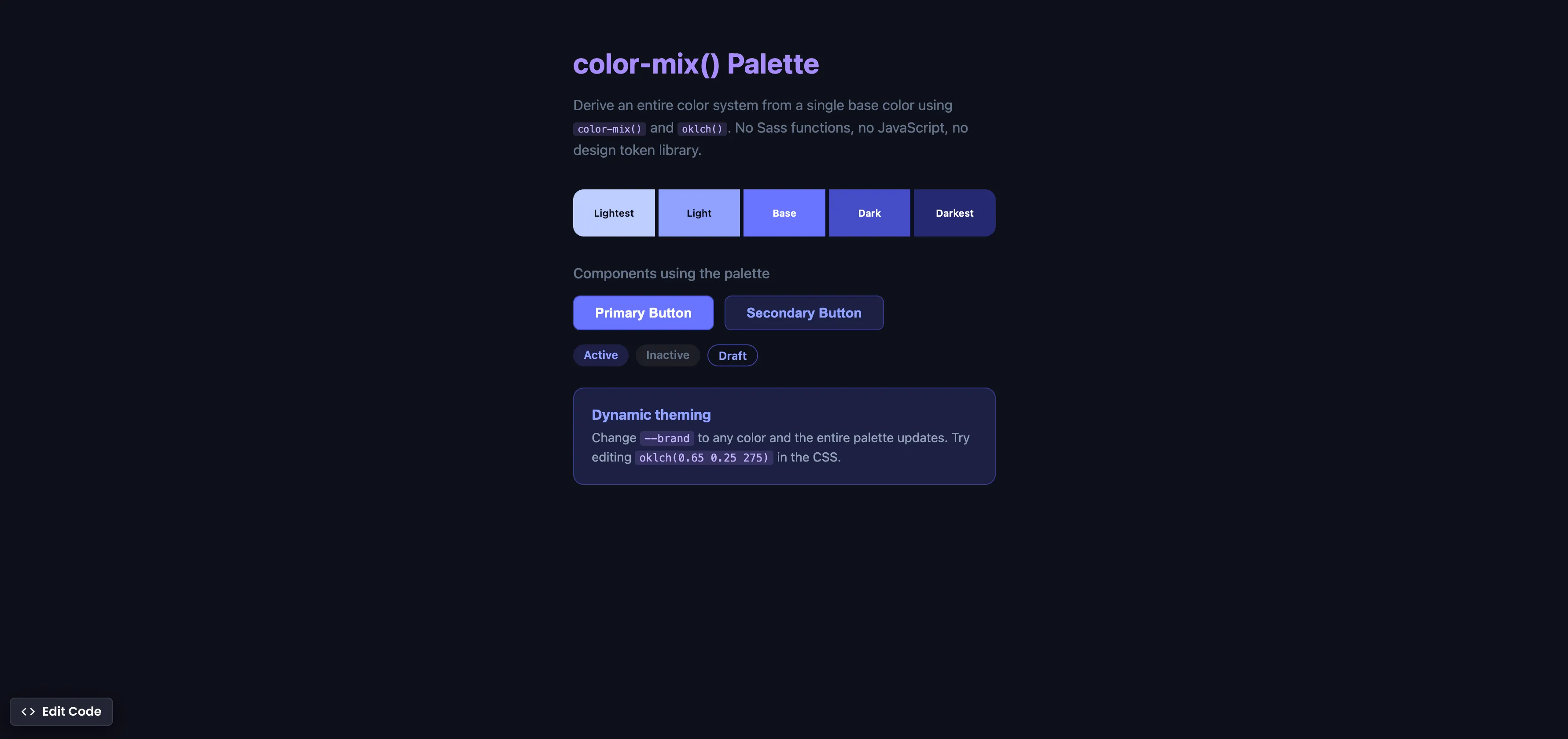
Interactive editor — edit code and see live results
Open in Editor
How It Works
:root {
  --brand: oklch(0.65 0.25 275);
  --brand-light: color-mix(in oklch, var(--brand), white 30%);
  --brand-dark: color-mix(in oklch, var(--brand), black 25%);
  --brand-subtle: color-mix(in oklch, var(--brand), transparent 85%);
}

.btn {
  background: var(--brand);
  border: 1px solid var(--brand-dark);
}

.btn:hover {
  background: var(--brand-light);
}
Summary
color-mix(in oklch, color1, color2 %)mixes two colors in the perceptually uniform OKLCH color space, producing natural-looking results.- From a single
--brandcolor, you can derive lighter, darker, and semi-transparent variants — no hardcoding hex values for every shade. oklch()is a modern color function that defines colors by lightness, chroma, and hue — making it intuitive to adjust colors the way designers think.- This replaces Sass color functions (
lighten(),darken(),mix()), JavaScript color libraries, and manual design token spreadsheets. - Change the
--brandvariable to any value and the entire palette updates automatically across all components. - Supported in Chrome 111+ (Mar 2023), Safari 16.2+ (Dec 2022), Firefox 113+ (May 2023), and Edge 111+. Fully cross-browser.
Try this in our interactive code editor
Practice hands-on with our built-in code sandbox.
Open Code Editor
Adrian Bigaj 

Creator of BigDevSoon
Full-stack developer and educator passionate about helping developers build real-world skills through hands-on projects. Creator of BigDevSoon, a vibe coding platform with 21 projects, 100 coding challenges, 40+ practice problems, and Merlin AI.
Related Pills

css Beginner
Adjust box sizing in CSS
Adjust box-sizing property to include padding and border to actual width or height. Simplifies overhead of the box model.

css Beginner
Outline HTML elements
Outline all your HTML elements with a single line of CSS.
css Beginner
Place HTML Elements Absolutely with CSS
Use a combination of position relative and absolute to place text on the image card.