Day 89 Advanced
Challenge 89 of 100
Voice Call
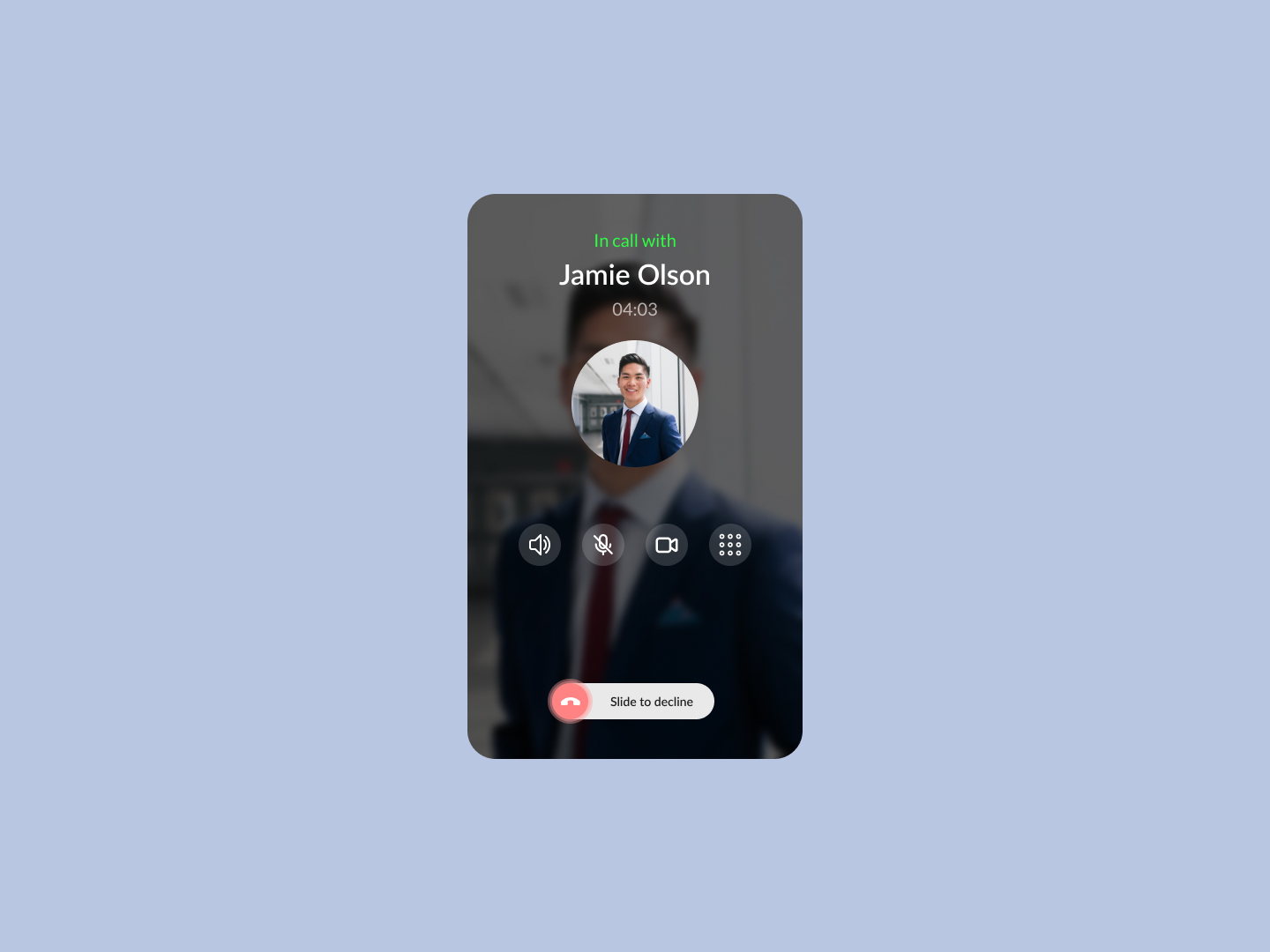
As a user engaged in a voice or video call, I want to have quick access to call controls, so that I can efficiently manage the call while staying focused on the conversation.
Acceptance Criteria
- ✓ Display the contact's name and photo clearly at the top of the screen to remind the user who they are in a call with.
- ✓ Include the duration of the call underneath the contact's name for easy tracking.
- ✓ Provide essential call control buttons, such as:
- ✓ A mute button to silence the user's microphone.
- ✓ A speakerphone button to switch between speaker and earpiece.
- ✓ A video toggle button to switch between voice and video mode.
- ✓ A keypad button to access dial pad options during the call.
- ✓ Implement a "Slide to Decline" feature at the bottom of the screen, allowing the user to end the call with a swipe gesture, which prevents accidental hang-ups.
- ✓ Ensure that the interface is intuitive, with icons that are easy to understand and spaced adequately to prevent misclicks.
- ✓ Design should be clean and focused, with minimal distractions, to allow the user to concentrate on the call.
100 Days of Code Progress Day 89 / 100
Take this challenge
Start your 7-day free trial to solve this challenge in our built-in code editor with live preview.
Start 7-Day Free Trial to Solve This Challenge