Day 92 Advanced
Challenge 92 of 100
Search Filters
As a potential homebuyer or renter using a property search app, I want to filter properties based on specific criteria (such as price range, property type, and size) and view relevant search results, so that I can easily find homes that match my needs and preferences.
Acceptance Criteria
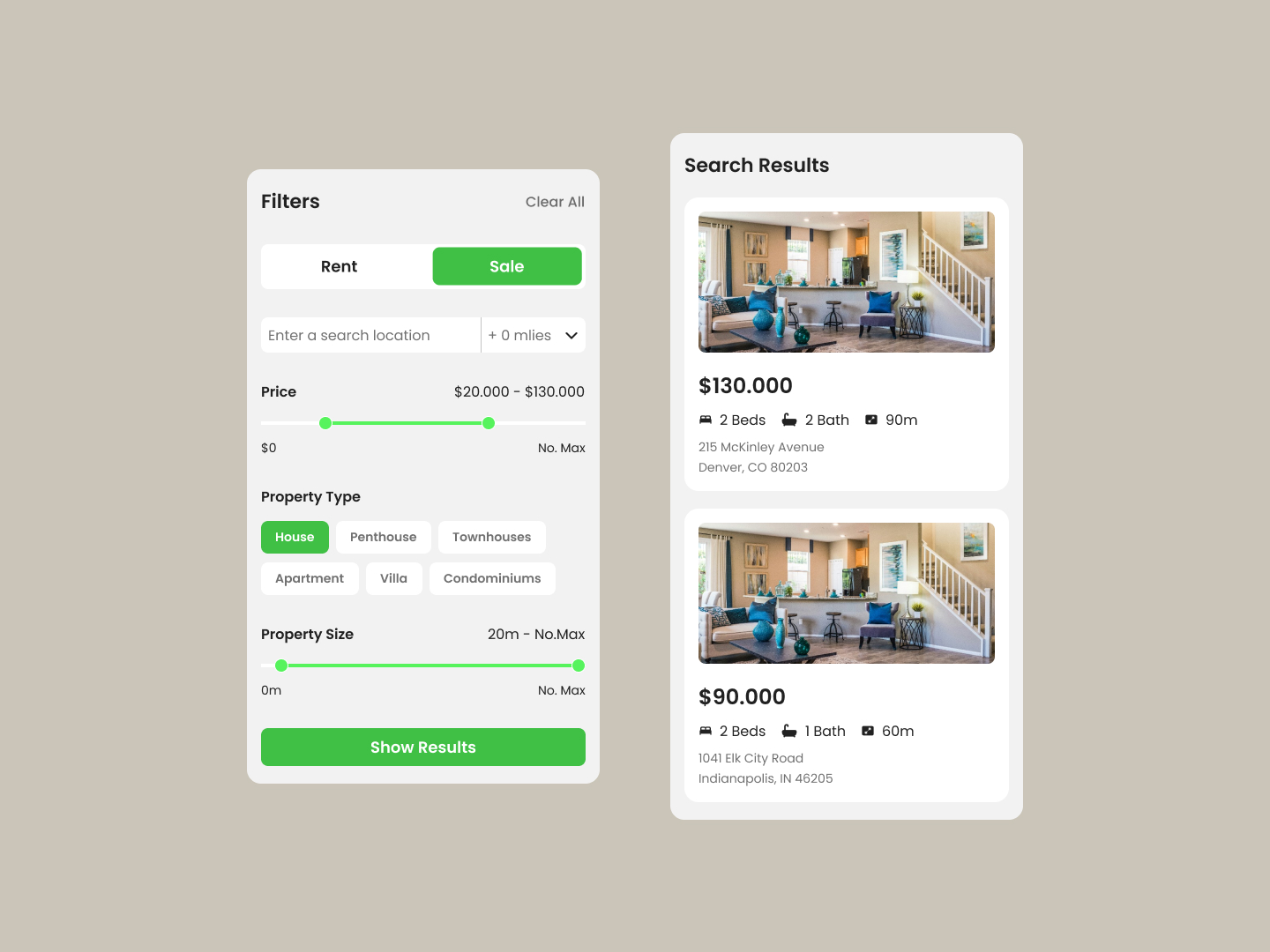
- ✓ Provide a filter panel on the left side of the screen where users can select whether they are searching for properties to "Rent" or for "Sale." This should be a toggle option that clearly highlights the selected option.
- ✓ Include a location search bar where users can enter a search location and set the proximity radius in miles.
- ✓ Implement a price range slider that allows users to adjust the minimum and maximum price limits according to their budget.
- ✓ Offer a selection of property types (e.g., House, Penthouse, Townhouses, Apartment, Villa, Condominiums) with options to select one or multiple types.
- ✓ Include a property size slider that lets users define the minimum and maximum square footage they are looking for.
- ✓ A "Show Results" button should be prominently placed at the bottom of the filter panel, enabling users to apply their selected filters and view the search results.
- ✓ Display search results on the right side of the screen, with each result card showing the property image, price, number of bedrooms and bathrooms, property size, and address.
- ✓ Ensure the search results are visually organized and easy to read, with clear images and concise property information.
100 Days of Code Progress Day 92 / 100
Take this challenge
Start your 7-day free trial to solve this challenge in our built-in code editor with live preview.
Start 7-Day Free Trial to Solve This Challenge