Day 15 Beginner
Challenge 15 of 100
Notifications
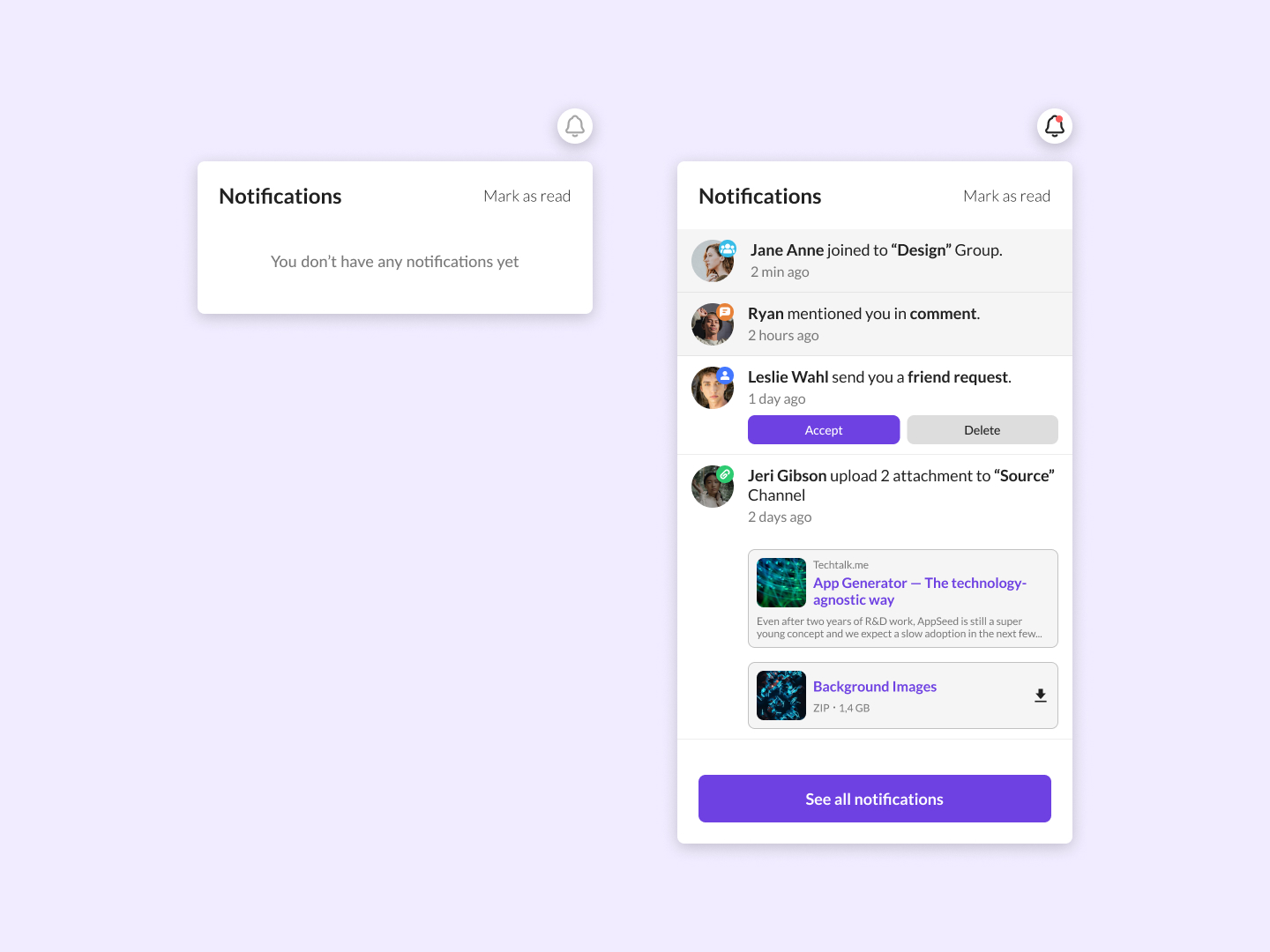
As a user, I want an easily accessible notifications interface that clearly displays recent alerts, updates, or actions related to my account, allowing me to stay informed and respond appropriately without searching through multiple pages.
Acceptance Criteria
- ✓ The interface must show two states: one when there are no notifications ("You don't have any notifications yet") and one when notifications are present.
- ✓ For notifications present, each notification should display the type of activity (e.g., group join, comment mention, friend request, attachment upload), the involved parties, and the time since the notification was issued.
- ✓ Notifications involving direct interactions, like friend requests, should have actionable buttons (e.g., Accept, Delete).
- ✓ Each notification should be clickable, leading to the relevant section or page for more details.
- ✓ The interface should include a "Mark as read" button to easily clear notifications.
- ✓ A 'See all notifications' link should be provided to view a comprehensive list of all recent notifications.
- ✓ The layout must be clean and should not feel cluttered, regardless of the number of notifications displayed, ensuring readability and ease of use on various devices and screen sizes.
100 Days of Code Progress Day 15 / 100
Take this challenge
Start your 7-day free trial to solve this challenge in our built-in code editor with live preview.
Start 7-Day Free Trial to Solve This Challenge