Day 25 Beginner
Challenge 25 of 100
Meeting Schedule
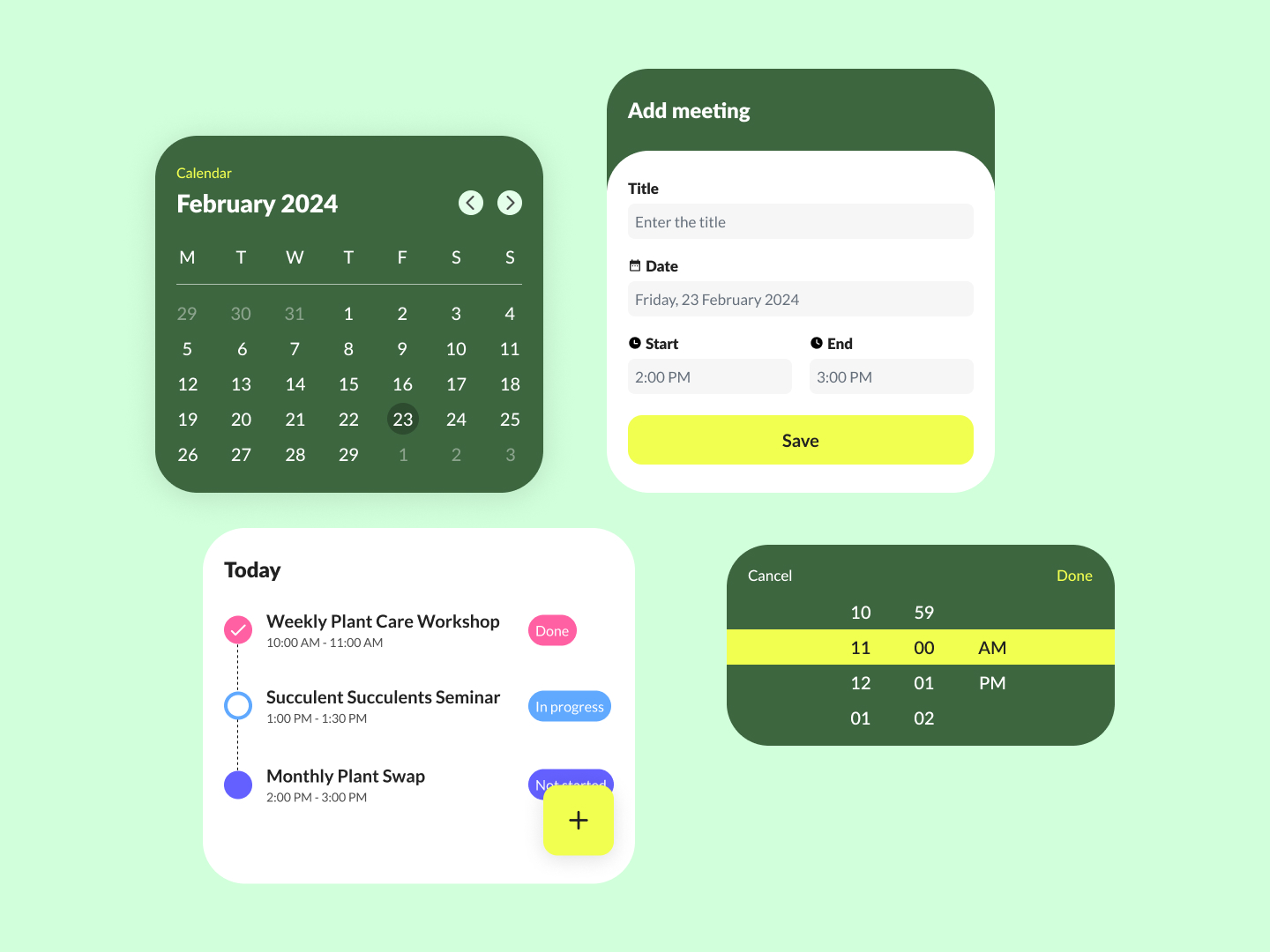
As a busy individual, I want an efficient and visually appealing calendar application that allows me to schedule, view, and manage my events with ease, ensuring I can keep track of my appointments and activities effectively.
Acceptance Criteria
- ✓ The interface must feature a calendar view that shows the full month, allowing users to quickly navigate to specific days and see highlighted dates with scheduled events.
- ✓ A section or tab for "Today" should display the day's events with time slots and brief descriptions.
- ✓ Users should have the ability to add new events easily, with a simple form that includes fields for the event title, date, start time, and end time.
- ✓ For time input, there should be a user-friendly selector that allows for precise minute and hour entries.
- ✓ The application should allow users to mark events as "Done," "In progress," or "Not started" with visual indicators for each status.
- ✓ An "Add meeting" interface should be straightforward, with clearly labeled fields and an intuitive layout for entering event details.
- ✓ Design must be responsive to ensure the calendar is accessible and functional on various devices, maintaining usability and visual appeal across different screen sizes.
100 Days of Code Progress Day 25 / 100
Take this challenge
Start your 7-day free trial to solve this challenge in our built-in code editor with live preview.
Start 7-Day Free Trial to Solve This Challenge