Day 30 Beginner
Challenge 30 of 100
Invoices
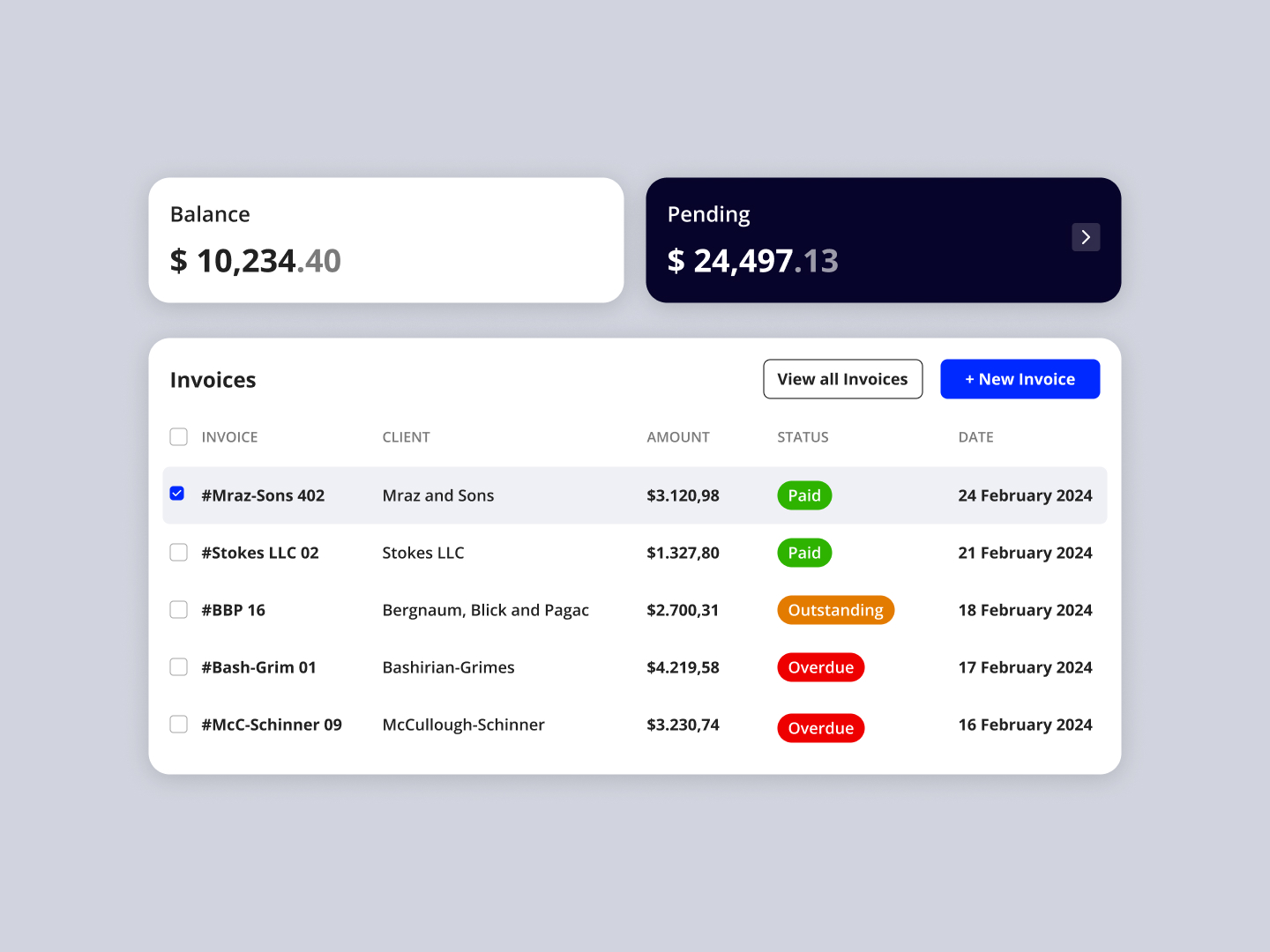
As a business owner or freelancer, I want an intuitive and efficient invoice management dashboard that allows me to quickly view, track, and manage my invoices, ensuring that I can maintain financial clarity and control over my transactions.
Acceptance Criteria
- ✓ The dashboard must display a summary of the user's financials, including current balance and pending amounts, prominently at the top of the interface.
- ✓ An "Invoices" section should list all invoices with essential details such as invoice number, client name, amount due, status (e.g., Paid, Outstanding, Overdue), and the date issued.
- ✓ Each invoice entry should be actionable, allowing users to click on them to view more detailed information or to perform actions like editing, sending reminders, or marking as paid.
- ✓ Status indicators for invoices must be color-coded (e.g., green for paid, yellow for outstanding, red for overdue) to allow for quick visual sorting and recognition.
- ✓ There should be options to filter or sort invoices based on status, date, amount, or client name to streamline the management process.
- ✓ The interface should include quick-access buttons such as "View all invoices" and "+ New Invoice" to enhance user navigation and productivity.
- ✓ The design must be responsive, ensuring that the dashboard is accessible and functional on various devices, maintaining usability and visual appeal across different screen sizes.
100 Days of Code Progress Day 30 / 100
Take this challenge
Start your 7-day free trial to solve this challenge in our built-in code editor with live preview.
Start 7-Day Free Trial to Solve This Challenge