Frontend Interview Prep: Practice Problems, Projects, and a Game Plan for 2026

Why Most Interview Prep Is Broken
Here is what a typical frontend interview prep plan looks like: open LeetCode, grind 200 algorithm problems, memorize Big O notation, and hope that one of the problems you practiced shows up in the interview. Maybe spend a weekend reading “Cracking the Coding Interview” and doing mock whiteboard sessions with a friend.
This approach has two problems. First, it teaches you skills that most frontend jobs rarely test. Second, it completely ignores the skills that frontend interviews actually focus on — building components, debugging CSS, managing state, working with APIs, and turning a design into working code.
The industry is shifting. More companies are moving toward practical take-home assignments and live coding sessions where you build real UI instead of solving abstract puzzles. They want to see that you can take a Figma mockup and turn it into a responsive, interactive component. They want to know that you understand how state flows through a React application, not that you can implement a red-black tree from memory.
This does not mean algorithms are worthless. They sharpen your problem-solving instincts, and some companies still test them heavily. But if you are spending 100% of your prep time on algorithms and 0% on building things, you are preparing for the wrong interview.
A balanced prep plan covers three areas: practice problems for logical thinking, projects for demonstrating real skills, and daily challenges for building speed and consistency. This post gives you a concrete plan that covers all three.
Practice Problems That Actually Matter
Traditional algorithm platforms throw you into the deep end with graph traversals and dynamic programming. For a frontend role, you need problems that strengthen your JavaScript fundamentals first — the kind of logic you will write every day on the job.
BigDevSoon has 40+ practice problems with automated test cases that verify your solutions instantly. Each problem runs in the browser editor, so there is nothing to install. You write your solution, hit run, and the test runner tells you exactly which cases pass and which fail. No ambiguity, no guessing.
Here are four problems worth starting with:
Factorial — Write a function that takes a non-negative integer and returns its factorial. Simple on the surface, but it tests your understanding of recursion or iterative multiplication, base cases, and edge case handling (what about 0?). A great warm-up that reveals whether you think carefully about boundary conditions.
Reverse String — Take a string and return it reversed. This problem forces you to think about string manipulation at a character level — splitting, iterating, and reassembling. It is a common interview warm-up because it reveals whether you understand how strings work under the hood.
Palindrome Check — Check if a given string is a palindrome (reads the same forwards and backwards). Beyond the basic implementation, interviewers often add follow-up questions: what about spaces and punctuation? Case sensitivity? These edge cases test whether you think beyond the happy path.
Sort Array — Take an array of integers and return it sorted in ascending order. This problem tests your understanding of sorting algorithms and built-in sort behavior in JavaScript. Interviewers often follow up by asking about sort stability, time complexity, or how you would sort objects by a specific property.
The key difference between these and typical LeetCode-style problems is relevance. String manipulation, array transformations, and hash maps are things you will use in your actual frontend work. Dynamic programming and graph algorithms, while intellectually interesting, rarely appear in frontend codebases.
For a detailed comparison of how BigDevSoon’s practice approach differs from traditional platforms, read BigDevSoon vs LeetCode and BigDevSoon vs HackerRank.
Build a Portfolio That Stands Out
Solving practice problems proves you can think logically. But when a hiring manager looks at your application, they want to see what you have built. A portfolio of real projects is the single most effective thing you can do to stand out in a stack of resumes.
The problem is that most developers build the same generic projects. Another to-do app with no design. Another weather widget that looks like it was styled in 2015. These do not impress anyone because they do not demonstrate the skills that matter — working from a design spec, handling edge cases, building responsive layouts, and managing complex state.
BigDevSoon’s projects are different because every one comes with a professional Figma design and a set of task cards that break the project into manageable pieces. You are not just “building a project.” You are working the way a professional developer works: reading a spec, implementing features one at a time, and matching a design pixel by pixel.
Three projects that are especially strong for interview portfolios:
Pokedex
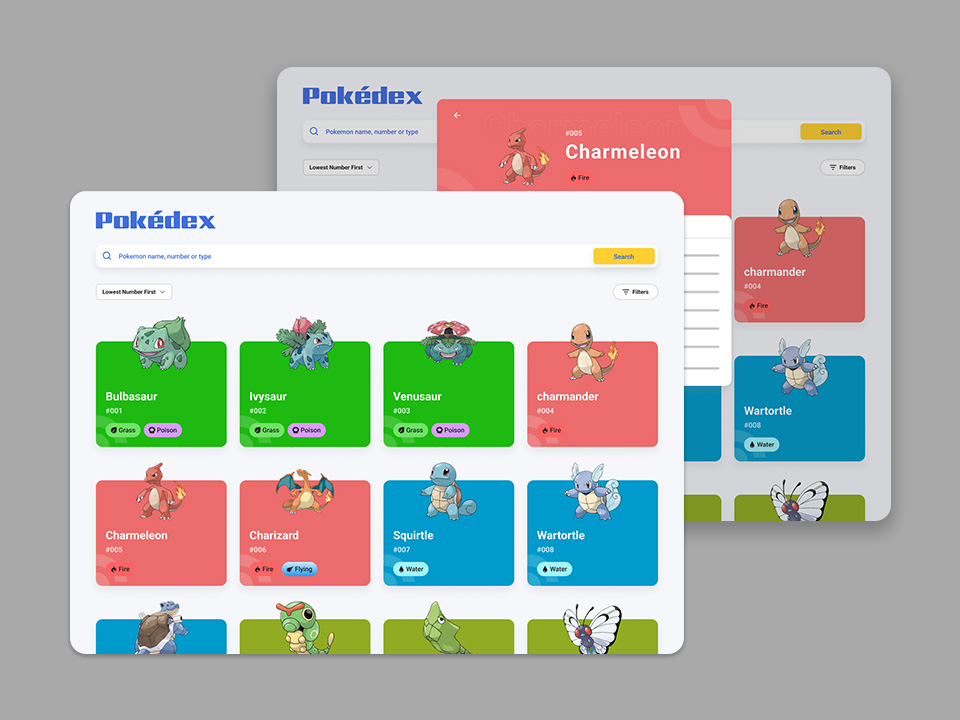
A Pokemon encyclopedia that fetches data from an external API, displays it in a searchable grid, and shows detailed information for each Pokemon. This project demonstrates API integration, search/filter logic, responsive card layouts, and loading states. Interviewers love seeing API-driven projects because they show you can work with real data, not hardcoded arrays.
Dashboard
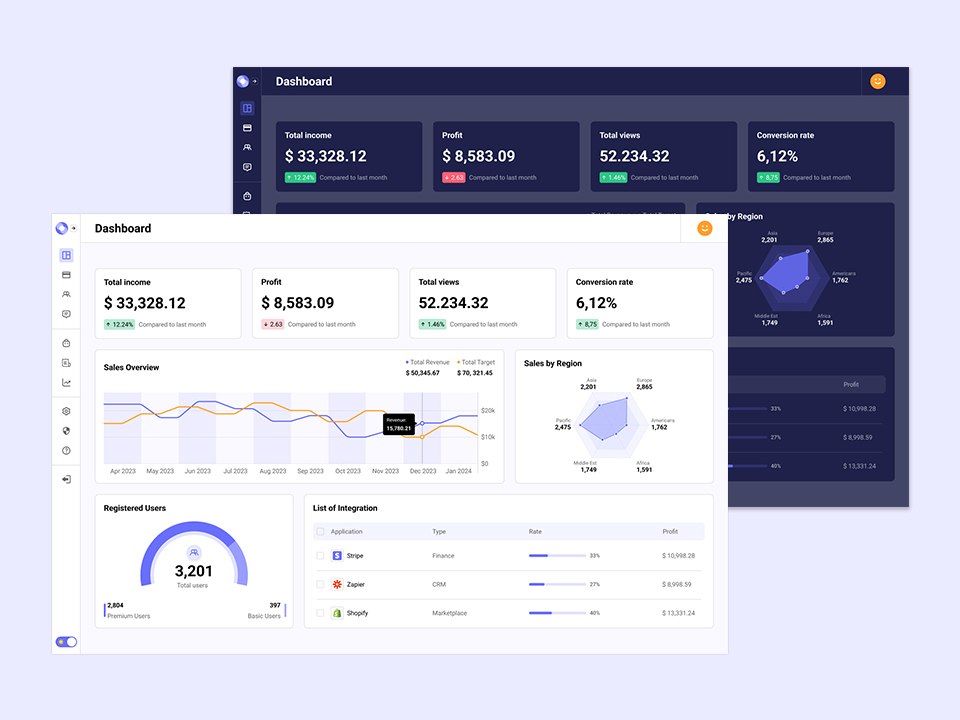
An analytics dashboard with charts, data tables, sidebar navigation, and responsive layout. Dashboards are what most frontend developers actually build at work. This project shows you can handle complex layouts, data visualization, and the kind of dense UI that enterprise applications require. It is the project equivalent of saying “I can handle real work.”
Find Movies
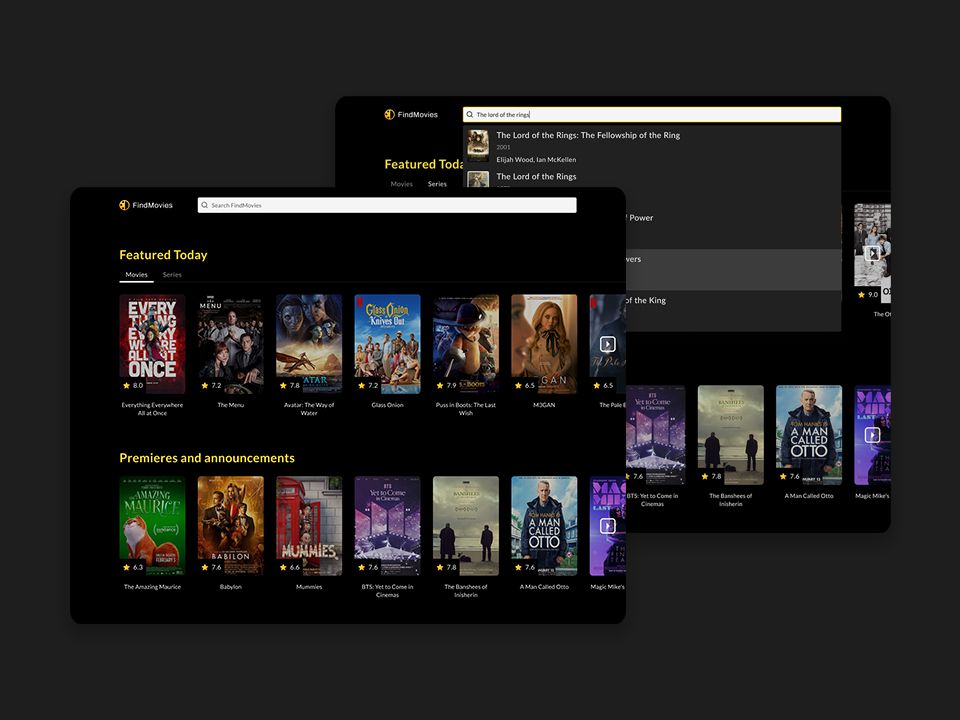
A movie discovery app with search, filtering, infinite scroll, and detailed movie pages. This project covers external API integration, debounced search input, pagination strategies, and responsive image handling. It has 9 task cards that walk you through the full build, from setup to polish.
When you complete these projects on BigDevSoon, your solutions are published to your profile. You get a shareable URL that shows the code, the live preview, and the original design you were working from. That is far more compelling than a GitHub repo with no context.
The Figma-to-code workflow is worth emphasizing. In real frontend jobs, you receive designs from a designer and implement them. Practicing this workflow — measuring spacing, matching colors, respecting typography hierarchy — is a skill that most self-taught developers never practice. When you can demonstrate it in an interview, you immediately stand out from candidates who only know how to build from scratch without a design reference.
Challenge Yourself Daily
Consistency beats intensity. Solving one practice problem or building one small component every day for a month will make you sharper than cramming for a weekend before your interview.
BigDevSoon’s 100 daily challenges are designed for exactly this kind of steady practice. Each challenge takes 30 minutes to a couple of hours, comes with a Figma design, and targets a specific frontend skill. You build in the browser editor, pick your framework, and ship a solution.
Three challenges that are particularly relevant to interview skills:
1. Profile Card
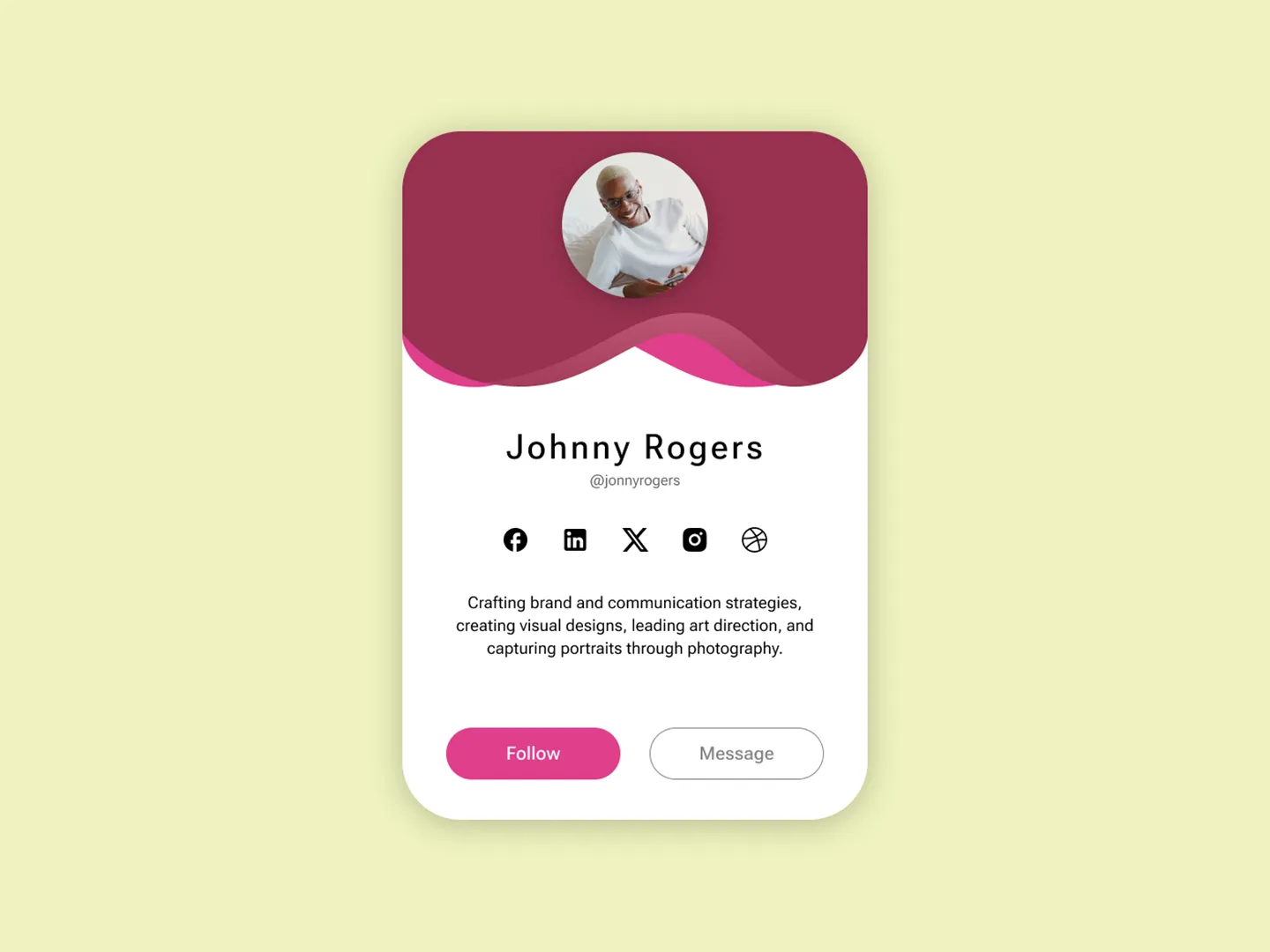
A clean CSS layout exercise that tests your Flexbox skills, spacing consistency, and typography hierarchy. Interviewers frequently ask candidates to build a simple card component from a mockup. If you have done this challenge, you can knock it out in minutes.
2. Shopping Cart
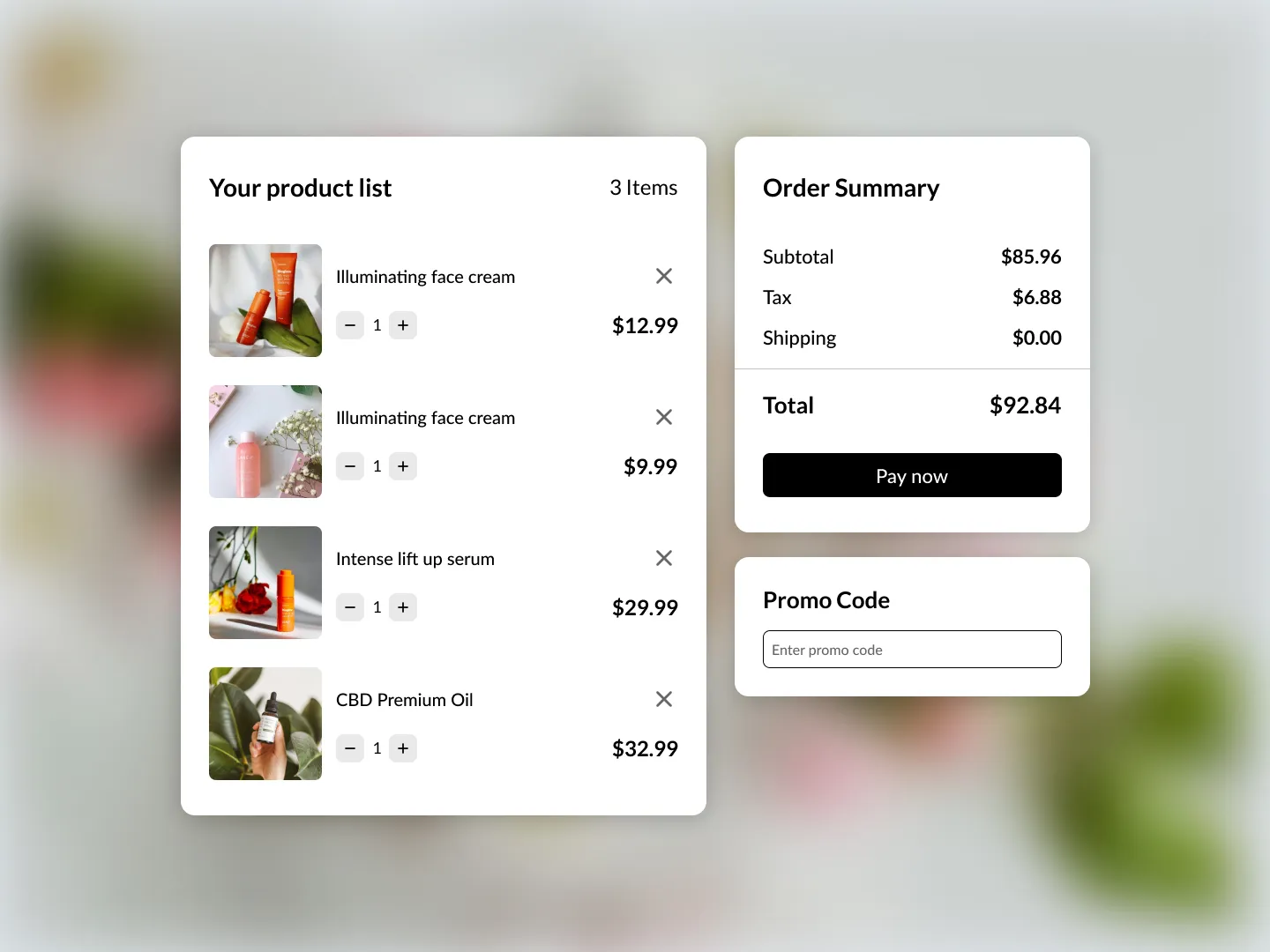
State management in its purest form. Adding items, removing items, updating quantities, calculating totals. This challenge tests whether you understand derived state, array manipulation, and keeping your UI in sync with your data. These are the exact skills that come up in React-focused interviews.
3. Kanban Board
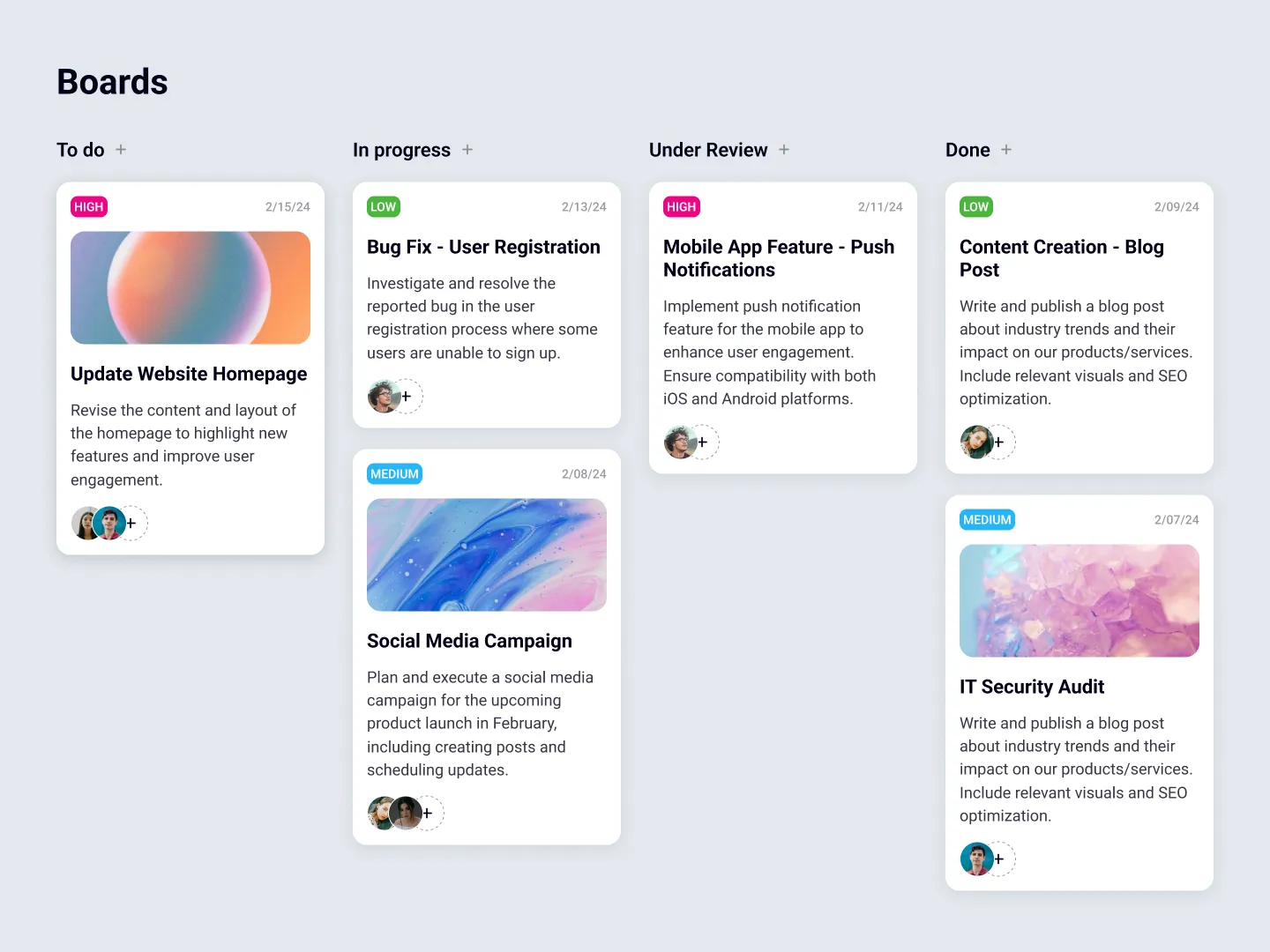
Drag-and-drop, multi-column state management, and complex user interactions. Building a Kanban Board demonstrates that you can handle the kind of interactive, stateful UI that production applications require. It also naturally leads to conversations about state management patterns, which interviewers love to dig into.
With 100 challenges at progressive difficulty levels, you can start with simple layout exercises and work your way up to complex interactive components. The progression mirrors how your skills develop — you need solid CSS fundamentals before you can build a drag-and-drop interface.
Coming Soon: Interview Simulator
Practicing problems and building projects prepares your technical skills. But interviews also test how you communicate, how you handle pressure, and how you think through problems in real time. These are hard skills to practice alone.
BigDevSoon is building an interview simulator — an interactive game-style experience where you can practice mock interviews in a structured, low-pressure environment. The goal is to help you get comfortable with the interview format itself, not just the technical content. Think of it as a way to build your interview muscle memory before the real thing.
More details are coming soon. For now, focus on the technical preparation outlined in this post, and keep an eye on the interview simulator page for updates.
Your 30-Day Game Plan
Here is a concrete, day-by-day plan that mixes practice problems, daily challenges, and project work. It is designed for someone who can dedicate 1-2 hours per day to interview prep.
Week 1: Foundations
Days 1-2: Solve Factorial and Reverse String. Get comfortable with the problem-solving workflow — read the problem, think before coding, write tests mentally, then implement.
Days 3-4: Build the Profile Card and Contact Form challenges. Focus on matching the Figma design exactly. Measure your spacing, check your font sizes, get the hover states right.
Days 5-7: Start the Pokedex project. Complete the first 2-3 task cards. Focus on API setup, data fetching, and rendering the initial grid.
Week 2: Building Speed
Days 8-9: Solve Palindrome Check and Sort Array. Push yourself to solve each one in under 20 minutes. If you cannot, review the concept and try again the next day.
Days 10-11: Build the Sign-Up Form and Password Generator challenges. These add interactivity and state management on top of the layout skills from Week 1.
Days 12-14: Continue the Pokedex project. Implement search, filtering, and the detail view. Focus on handling loading states and error cases gracefully.
Week 3: Complexity
Days 15-16: Tackle 2-3 more practice problems from the problems page. Pick ones you have not seen before. Practice explaining your approach out loud as you code — this is what you will do in a live interview.
Days 17-18: Build the Shopping Cart and Kanban Board challenges. These are the kind of stateful, interactive components that show up in take-home assignments.
Days 19-21: Start the Dashboard project. This is your flagship portfolio piece. Complete 2-3 task cards focusing on layout and navigation.
Week 4: Polish and Review
Days 22-23: Review every practice problem you solved. Can you solve them again without looking at your previous solution? If not, redo them.
Days 24-25: Revisit your completed challenges and projects. Refactor your code. Add comments explaining your decisions. Clean up any messy CSS. This is the code interviewers will read.
Days 26-28: Continue the Dashboard project. Aim to complete it or get close. A finished project is worth ten half-finished ones.
Days 29-30: Do a mock interview with yourself. Pick a random challenge you have not built, set a timer for 45 minutes, and build it from scratch while explaining your thought process out loud. Record yourself if you can — watching the playback reveals habits you did not know you had.
Putting It All Together
Frontend interview prep does not have to mean grinding algorithms in isolation. The most effective preparation mirrors the actual work you will do on the job — solving real problems, building real components, and working from real designs.
Use practice problems to sharpen your logical thinking. Use projects to build a portfolio that demonstrates your skills. Use daily challenges to build speed and consistency. And when the interview simulator launches, use it to practice the human side of interviewing.
For more interview advice, read 10 Technical Interview Tips for strategies that go beyond technical skills. And if you are actively job hunting, developer job search tips covers the full process from resume to offer.
The developers who get hired are not always the ones who know the most. They are the ones who can demonstrate their skills clearly, communicate their thinking, and show a portfolio of real work. Everything in this post is designed to help you become that developer.
If you want full access to all 100 challenges, 21+ projects, 40+ practice problems, and the Merlin AI assistant, use code SPRING50 at checkout for 50% off any plan. See plans.
Start preparing today — your next interview will thank you.
Practice what you just learned in our browser editor with AI assistance.
Try Demo Editor
Creator of BigDevSoon
Full-stack developer and educator passionate about helping developers build real-world skills through hands-on projects. Creator of BigDevSoon, a vibe coding platform with 21 projects, 100 coding challenges, 40+ practice problems, and Merlin AI.


Related Posts

10 Tips for Developer Job Seekers in 2026
Practical advice for developers looking for jobs in 2026 — from ATS-optimized CVs to portfolio strategy, interview prep, and standing out.

15 Coding Challenges for Beginners That Actually Teach You Something
Skip the boring algorithm drills. These 15 coding challenges for beginners focus on real skills — HTML, CSS, JavaScript, and React — that you'll use on the job.
Best Vibe Coding & Practice Platforms in 2026: An Honest Guide
Comparing BigDevSoon, Frontend Mentor, LeetCode, and freeCodeCamp — vibe coding, traditional practice, pricing, and which platform fits your learning style.