15 Coding Challenges for Beginners That Actually Teach You Something

Introduction
Most coding challenges are designed for interview prep. They test whether you can invert a binary tree or implement Dijkstra’s algorithm on a whiteboard. That is fine if you are grinding for a FAANG interview, but it teaches you almost nothing about building real software.
If you are a beginner who wants to actually get better at web development — the kind of better where you can build things people use — you need a different kind of challenge. One that involves HTML, CSS, JavaScript, and the frameworks you will actually encounter on the job. One that comes with a real design to match, not just a text description.
BigDevSoon’s 100 Days of Code series gives you exactly that: 100 daily challenges, each with a Figma design file, built-in browser editor with 7 framework modes (React, Vue, TypeScript, Angular, Svelte, Vanilla JS, ES Modules), and the ability to share your solutions publicly. This post highlights 15 of those challenges that are especially effective for beginners, grouped into three stages of progression.
Why Most Coding Challenges Miss the Mark for Beginners
There is a disconnect between what most platforms test and what junior developers actually need to know. A typical day as a frontend developer involves building UI components, handling form validation, fetching data from APIs, and making things look good on mobile. None of that requires knowing how to traverse a graph.
Platforms like LeetCode and HackerRank are excellent at what they do — but what they do is algorithm training. If you are preparing for a technical interview at a large company, they are valuable. For learning to build websites and web applications, they are the wrong tool. You can read a deeper comparison in BigDevSoon vs LeetCode and BigDevSoon vs HackerRank.
The challenges below are different. Each one teaches a skill you will use in your first job, your side projects, and your freelance work. And every single one comes with a Figma design, so you practice building from specs — the way real development works.
What Makes These Challenges Different
Before we get to the list, here is what separates these from typical coding exercises.
Every challenge has a Figma design. You are not building from a vague text description. You get a professional design file showing exactly what the finished component should look like. Building from designs is a core skill that most practice platforms completely ignore.
You build in a real editor. The BigDevSoon browser editor supports React, Vue, TypeScript, Angular, Svelte, and Vanilla JS. Pick the framework you want to learn and build the challenge in it. Switch frameworks to deepen your understanding.
You can share your solutions. Every completed challenge can be published to your profile, creating a public portfolio of real work. You can also browse other developers’ solutions to compare approaches.
AI assistance is built in. If you get stuck, Merlin AI is right there in the editor to help. Describe your problem and it generates code or explains concepts. It is a safety net that keeps you moving forward instead of giving up.
Getting Started (Challenges 1-5)
These five challenges build your foundation. They focus on layout, typography, spacing, and basic interactivity — the skills everything else builds on.
1. Profile Card (Day 1)
Build a profile card component with an avatar, name, job title, bio, and social media links. The Figma design shows a clean, centered card with careful spacing and typography hierarchy.
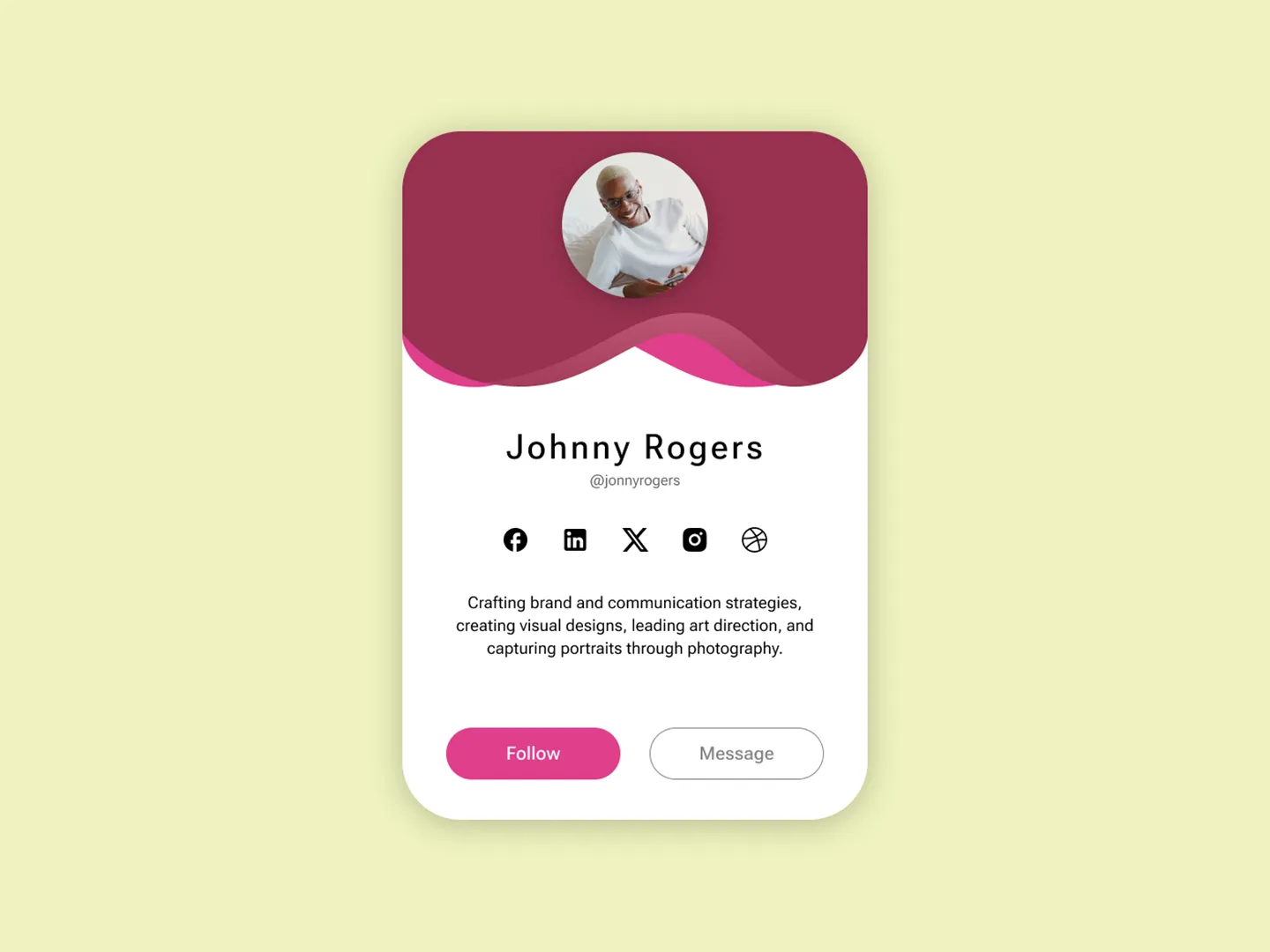
What you will learn: Flexbox centering, consistent spacing, font sizing, border-radius, and image handling. The Profile Card is deceptively simple — getting the spacing and typography right requires attention to detail that transfers to every other component you build.
Skill focus: CSS layout, visual hierarchy
2. Product Page (Day 2)
Create a product detail page with a product image, title, price, description, size selector, and an “Add to Cart” button. The design includes multiple interactive elements that need to work together.
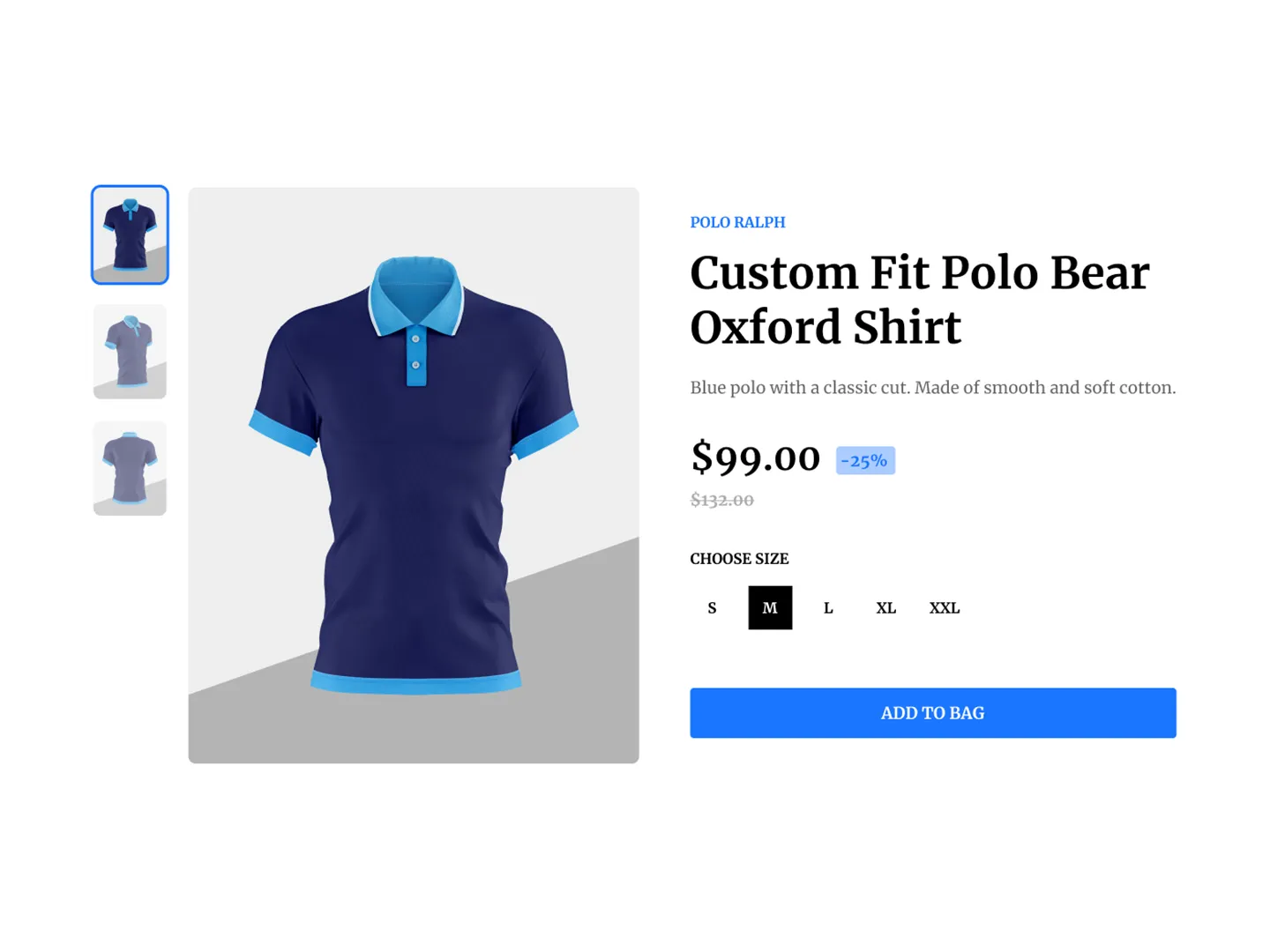
What you will learn: Grid layouts for product pages, interactive state for size selection, button hover effects, and structuring a page with multiple content sections. Product pages are one of the most common things you will build in professional work.
Skill focus: Page layout, interactive states
3. Settings Menu (Day 3)
Build a settings panel with toggle switches, dropdown selectors, and grouped preference sections. The design shows a sidebar-style menu with clean section dividers and interactive controls.
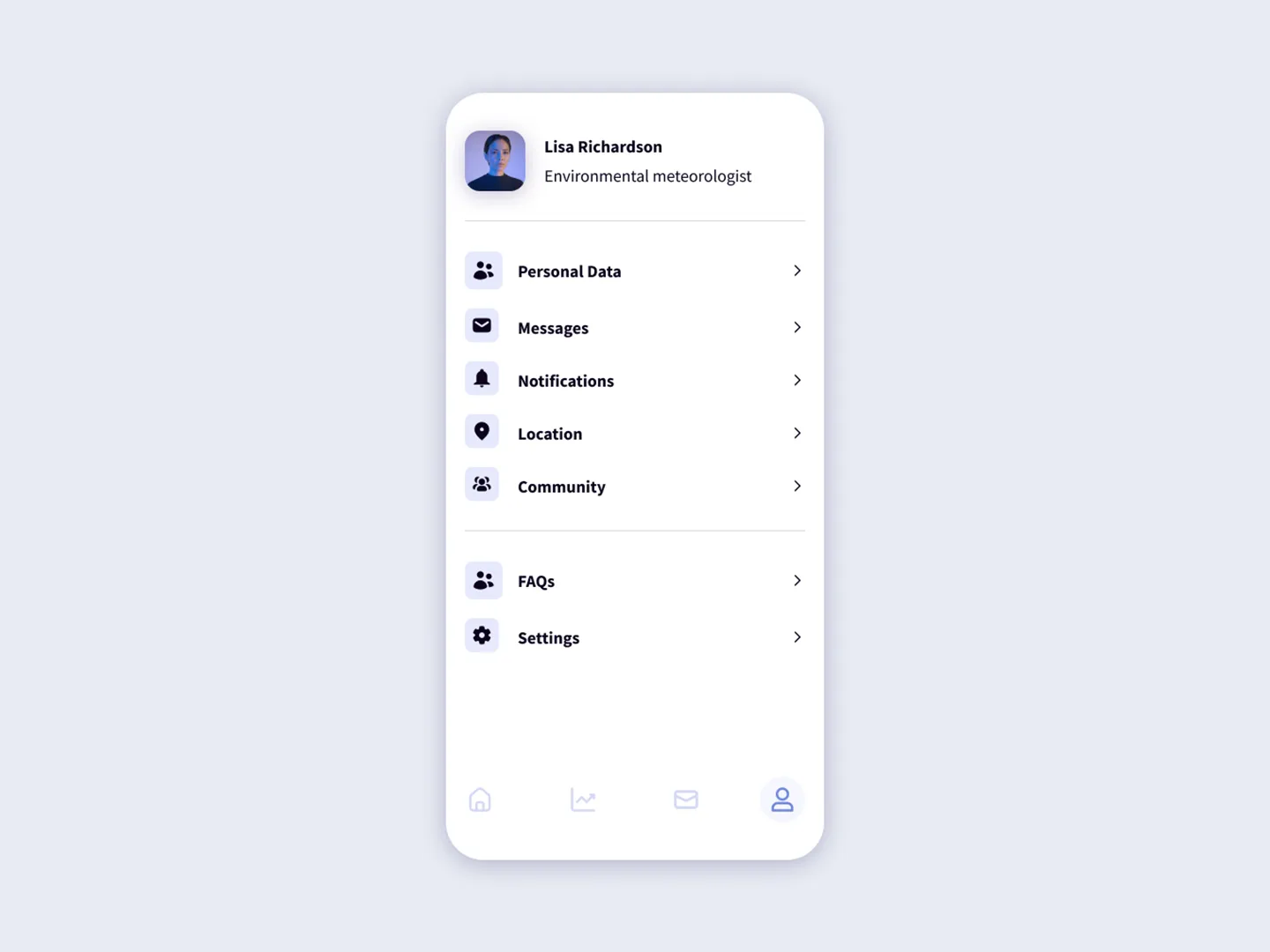
What you will learn: Form controls beyond basic inputs, CSS for custom toggles and dropdowns, grouping related settings logically, and managing multiple interactive states on one page.
Skill focus: Form controls, UI state management
4. Contact Form (Day 4)
Create a contact form with name, email, subject, and message fields, plus a submit button. The Figma design includes validation states showing how error messages should appear.
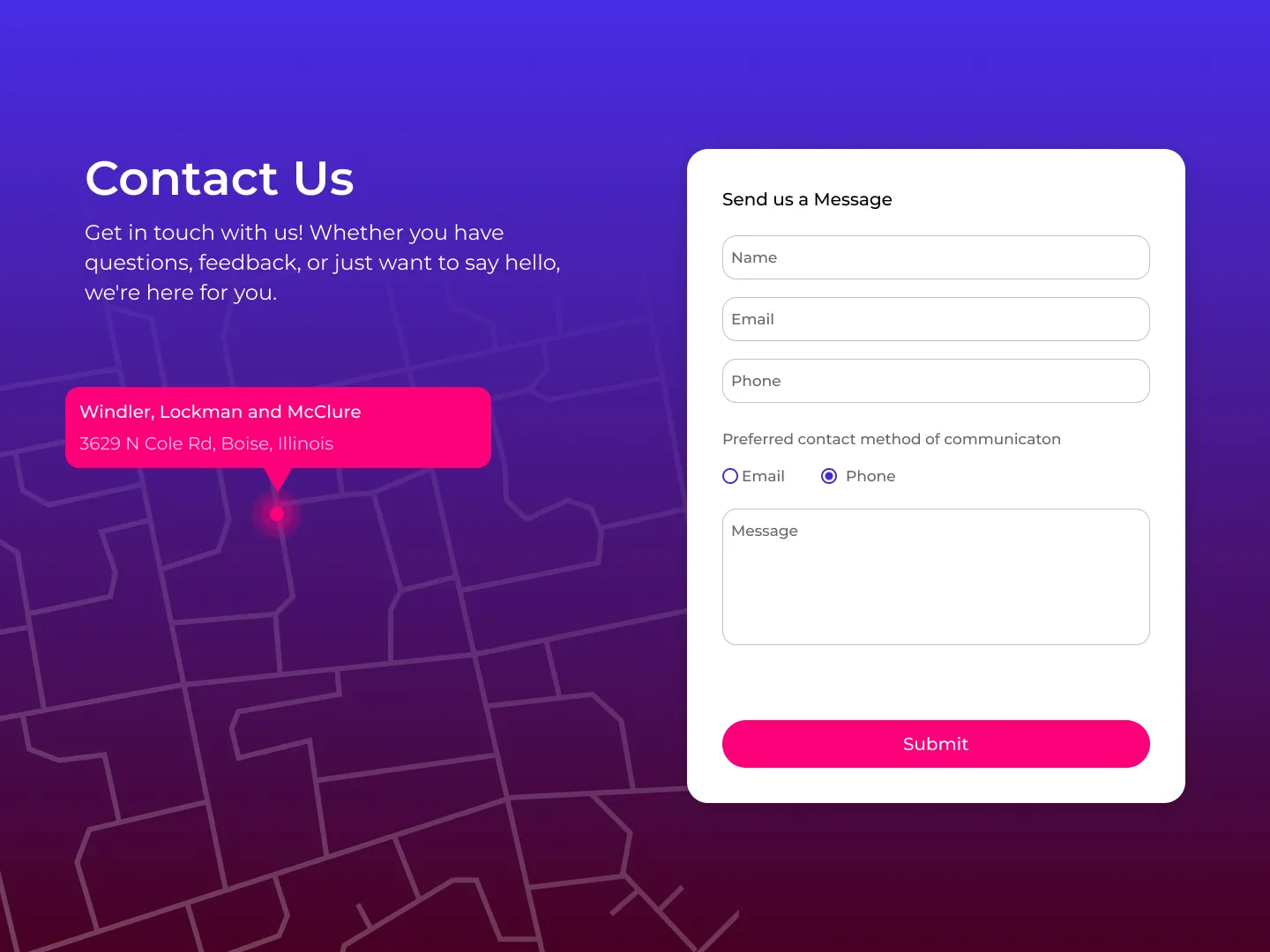
What you will learn: Form layout, input styling, client-side validation, error message display, and submit handling. You will build forms in every application you work on — this challenge drills the fundamentals.
Skill focus: Forms, validation, user feedback
5. Recipe Page (Day 5)
Build a recipe detail page with a hero image, ingredient list, step-by-step instructions, and nutritional information. The design uses a content-heavy layout that needs to stay readable and organized.
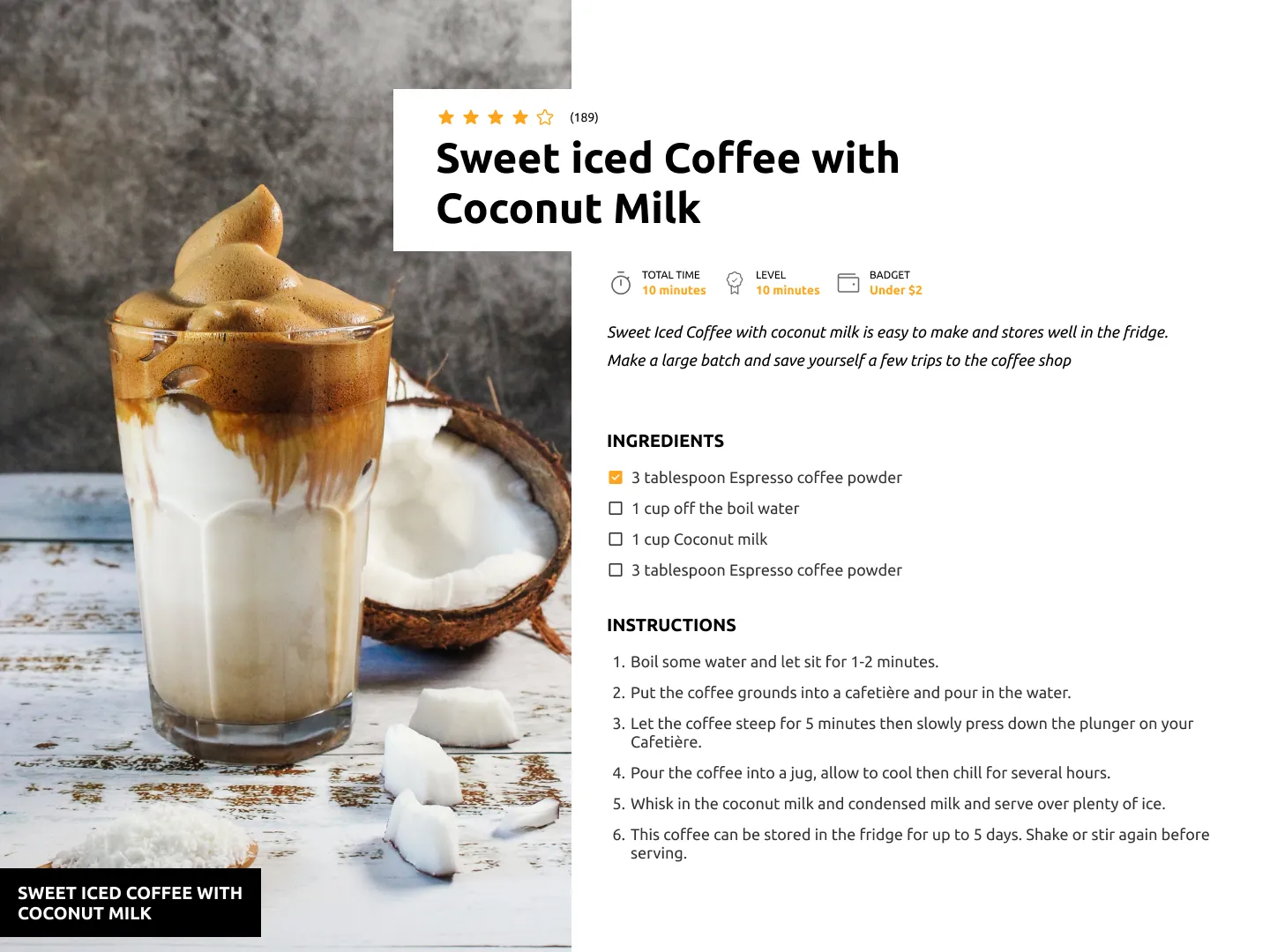
What you will learn: Content-heavy page structure, ordered and unordered lists, image optimization, and typography for long-form content. Managing complex content layouts is a skill that separates beginners from intermediate developers.
Skill focus: Content layout, typography, readability
Building Confidence (Challenges 6-10)
With the basics down, these challenges introduce more interactivity, dynamic content, and real-world UI patterns.
6. Photo Gallery (Day 6)
Create a responsive photo gallery with a grid layout and a lightbox modal that opens when you click a photo. The design shows a masonry-style grid with hover effects on each image.
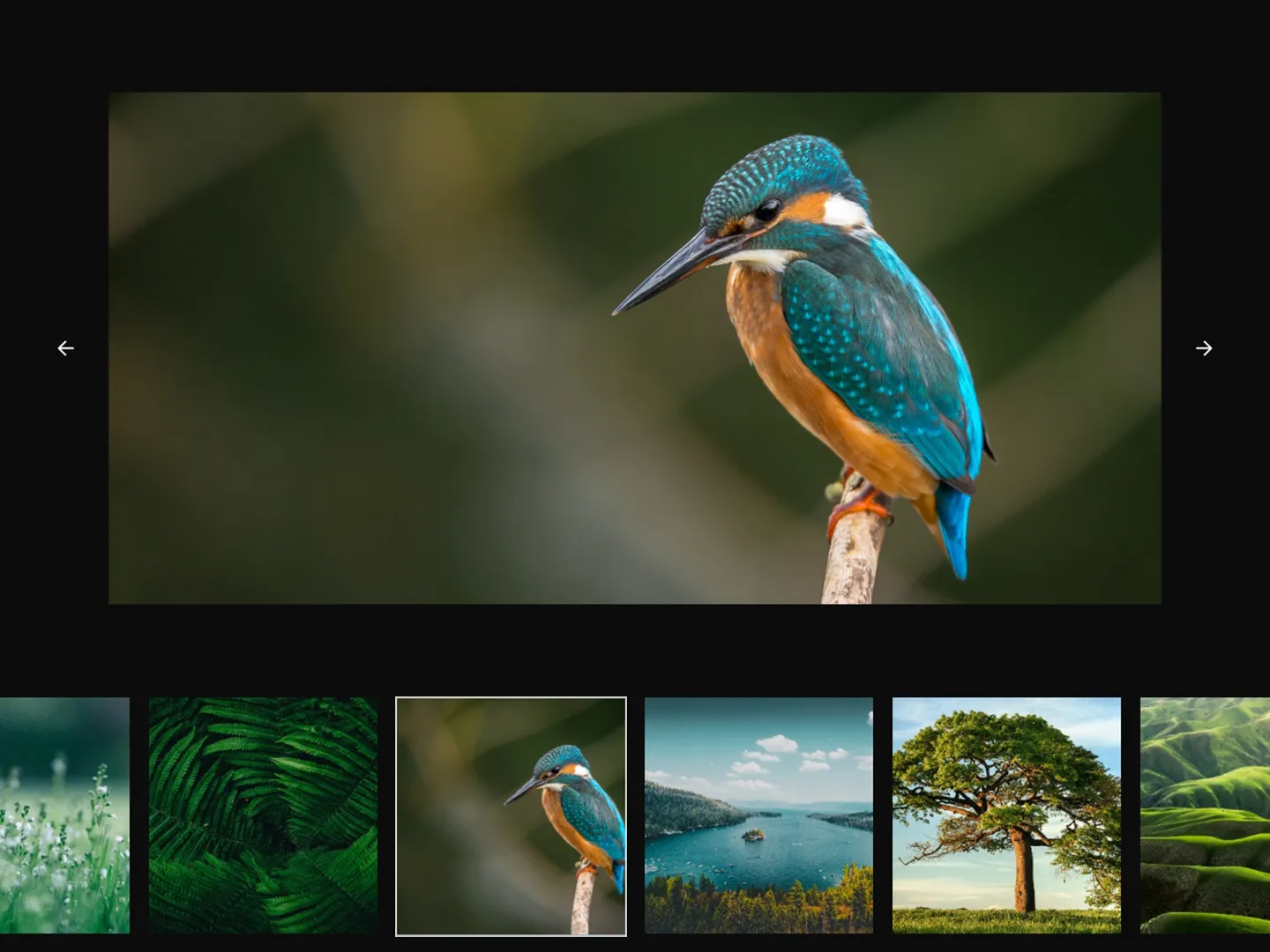
What you will learn: CSS Grid for image galleries, modal/lightbox patterns, keyboard navigation for accessibility, and image loading states. Gallery components appear in portfolios, e-commerce sites, and social platforms.
Skill focus: CSS Grid, modals, image handling
7. Sign-Up Form (Day 7)
Build a registration form with email, password, and confirm password fields, social login buttons, and inline validation. The Figma design shows error states, success states, and the visual flow from empty form to completed submission.
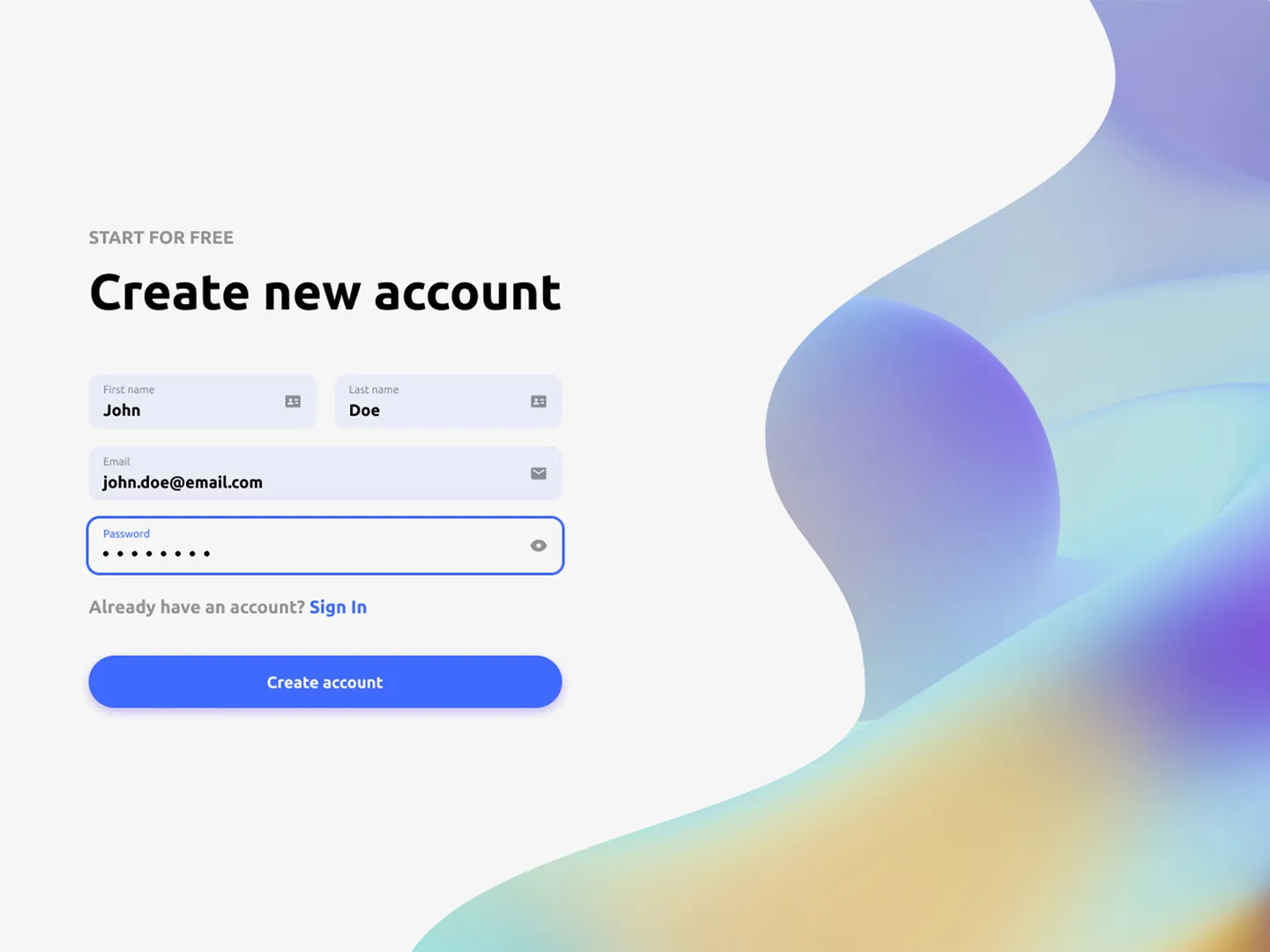
What you will learn: Advanced form validation (password matching, email regex, minimum length requirements), inline error messages, and success state handling. This challenge takes the basics from the Contact Form and adds real-world complexity.
Skill focus: Advanced validation, multi-state forms
8. Music Events (Day 8)
Create an events listing page with event cards showing date, venue, artist, and ticket availability. The design includes filtering by date and category, plus a detail view for individual events.
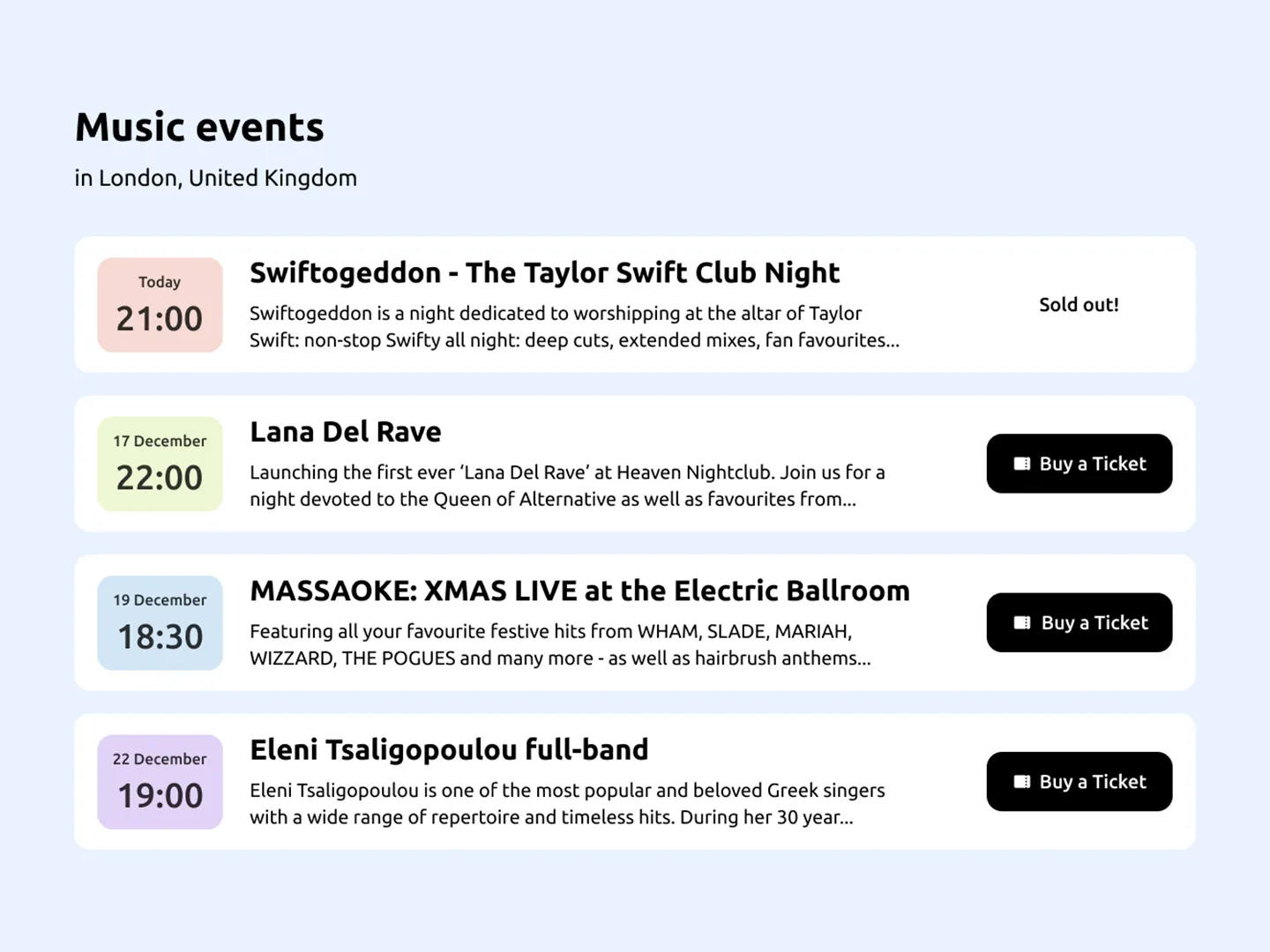
What you will learn: Card-based layouts with rich data, date formatting and display, filtering and sorting UI patterns, and transitioning between list and detail views. Event listings teach you how to present structured data attractively.
Skill focus: Data-driven UI, filtering, card layouts
9. Password Generator (Day 9)
Build a password generator with options for length, uppercase, lowercase, numbers, and special characters. Include a strength indicator and a copy-to-clipboard button. The design shows a clean utility tool interface.
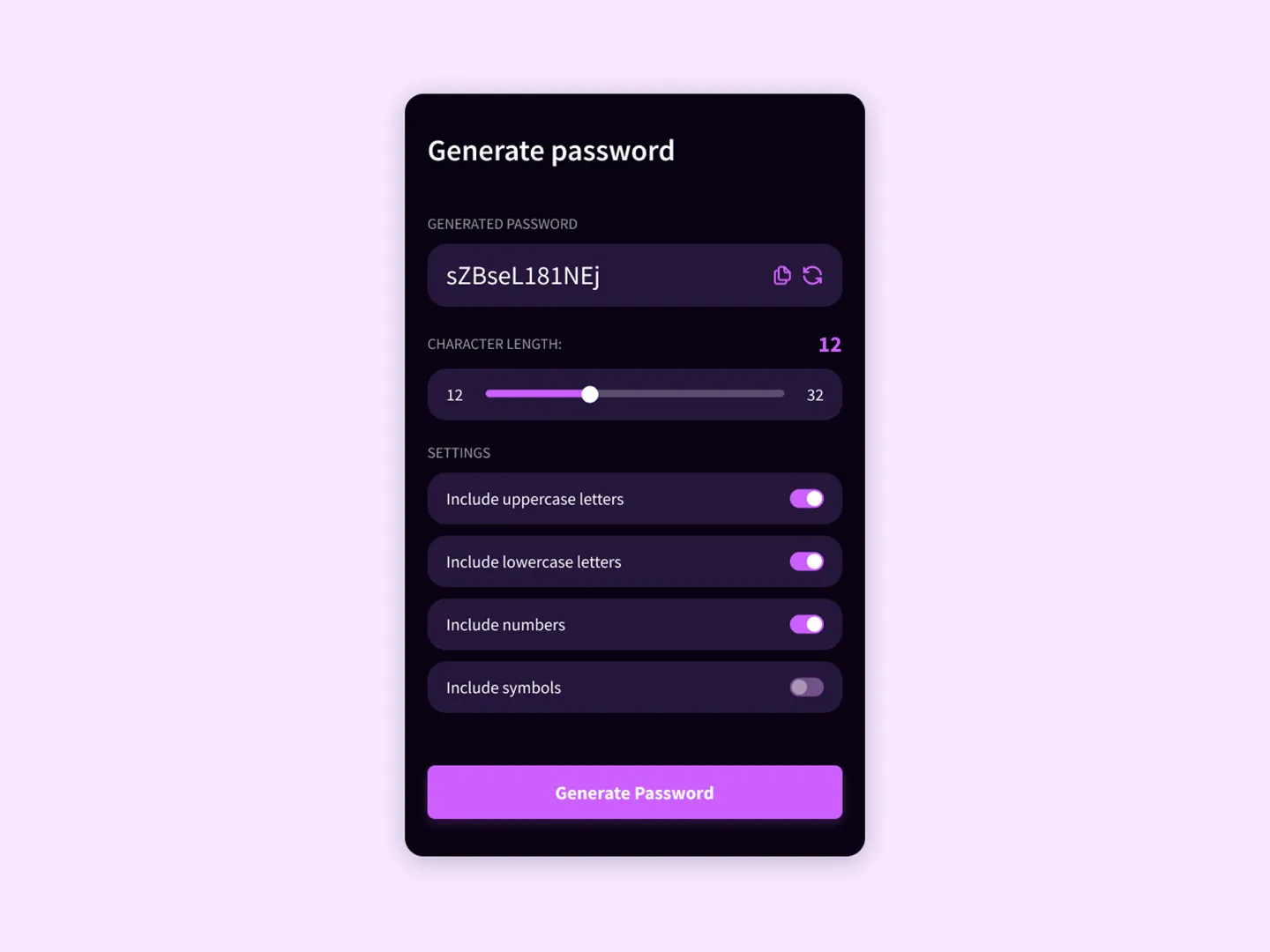
What you will learn: String manipulation, randomization logic, the Clipboard API, dynamic UI that responds to user configuration, and visual strength indicators. This is a complete utility tool in a single challenge — the kind of small, useful app that makes a great portfolio piece.
Skill focus: JavaScript logic, dynamic UI, Clipboard API
10. Dual Sign-Up (Day 10)
Create a sign-up page with two distinct paths — one for individuals and one for teams or businesses. The design features a split-screen layout with different content and forms on each side.
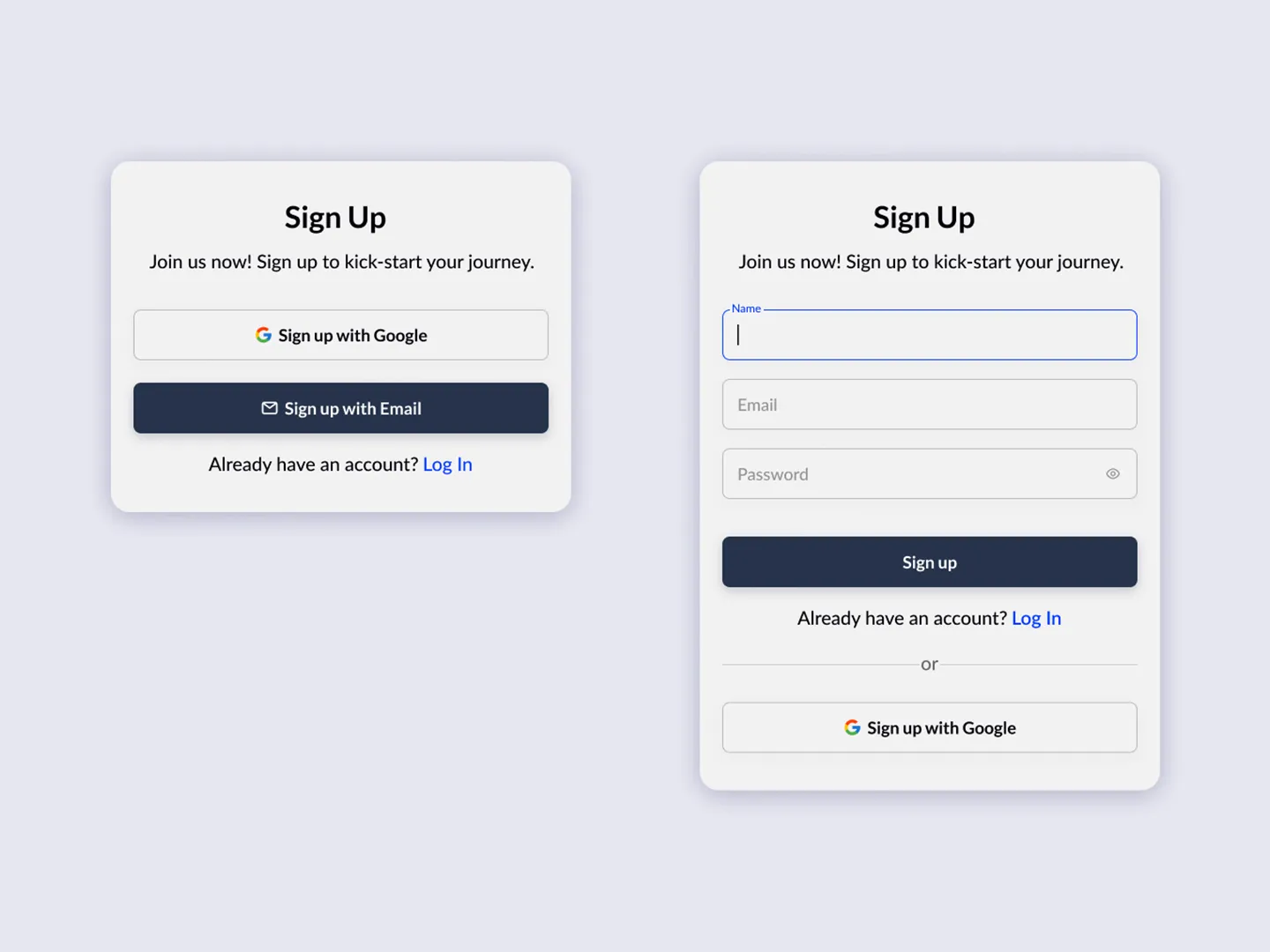
What you will learn: Split-screen responsive layouts, conditional form rendering, and designing for multiple user types. Many real applications need to serve different audiences from the same page — this pattern teaches you how.
Skill focus: Conditional rendering, split layouts, multi-audience design
Real-World Patterns (Challenges 11-15)
These challenges tackle the patterns you will encounter in production applications — drag-and-drop, real-time updates, complex state, and media handling.
11. Kanban Board (Day 13)
Build a Kanban task board with columns for “To Do,” “In Progress,” and “Done.” Tasks should be draggable between columns. The design shows a project management interface with task cards containing titles, labels, and assignees.
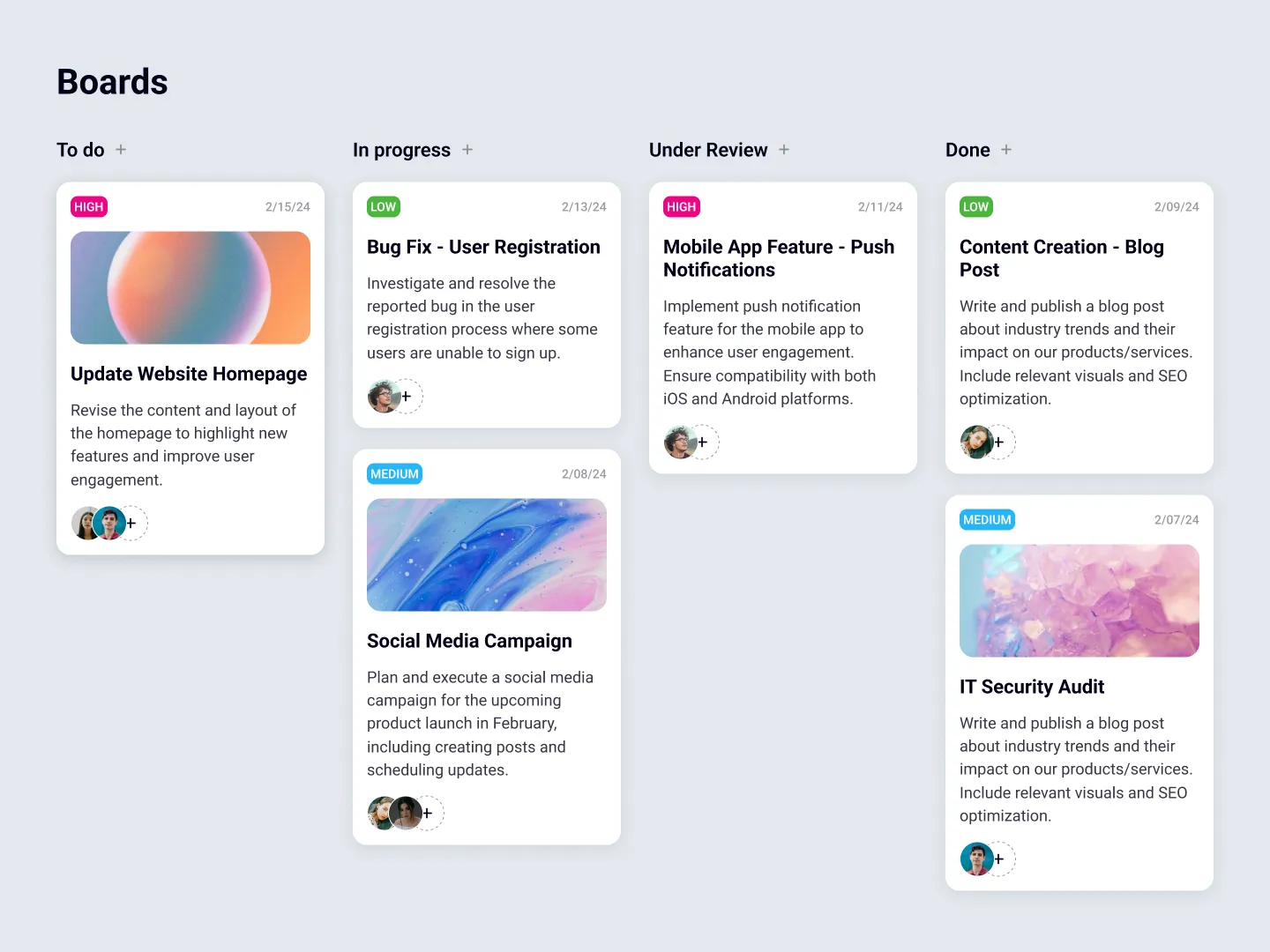
What you will learn: Drag-and-drop interaction (the HTML Drag and Drop API or a library like dnd-kit), state management across multiple lists, and complex UI that responds to user actions in real time. Kanban Board components appear in project management tools, CRM systems, and workflow applications.
Skill focus: Drag and drop, complex state, multi-list management
12. Shopping Cart (Day 14)
Create a shopping cart page with product cards, quantity controls, item removal, and a dynamic price total. The Figma design includes the full cart experience — product images, individual prices, quantity steppers, subtotals, and a checkout summary.
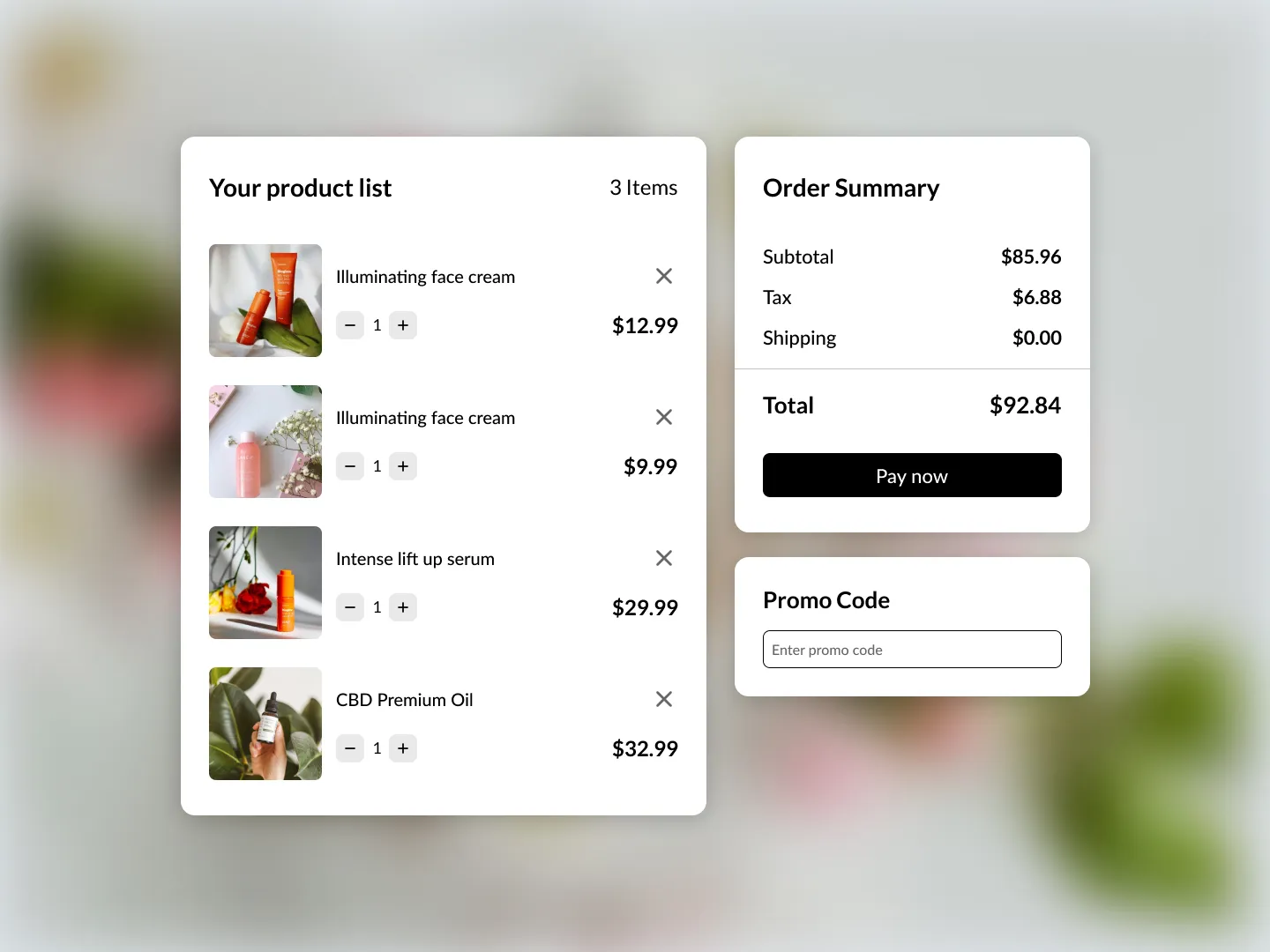
What you will learn: Derived state (calculating totals from item quantities and prices), array manipulation for adding and removing items, and the relationship between data and UI. Shopping Cart is among the most common patterns in frontend development and tests your ability to keep state and display in sync.
Skill focus: State management, derived calculations, array manipulation
13. Notifications (Day 15)
Build a notifications panel with different notification types (info, warning, success, error), read/unread states, timestamps, and a “mark all as read” action. The design shows a dropdown-style panel with grouped notifications.
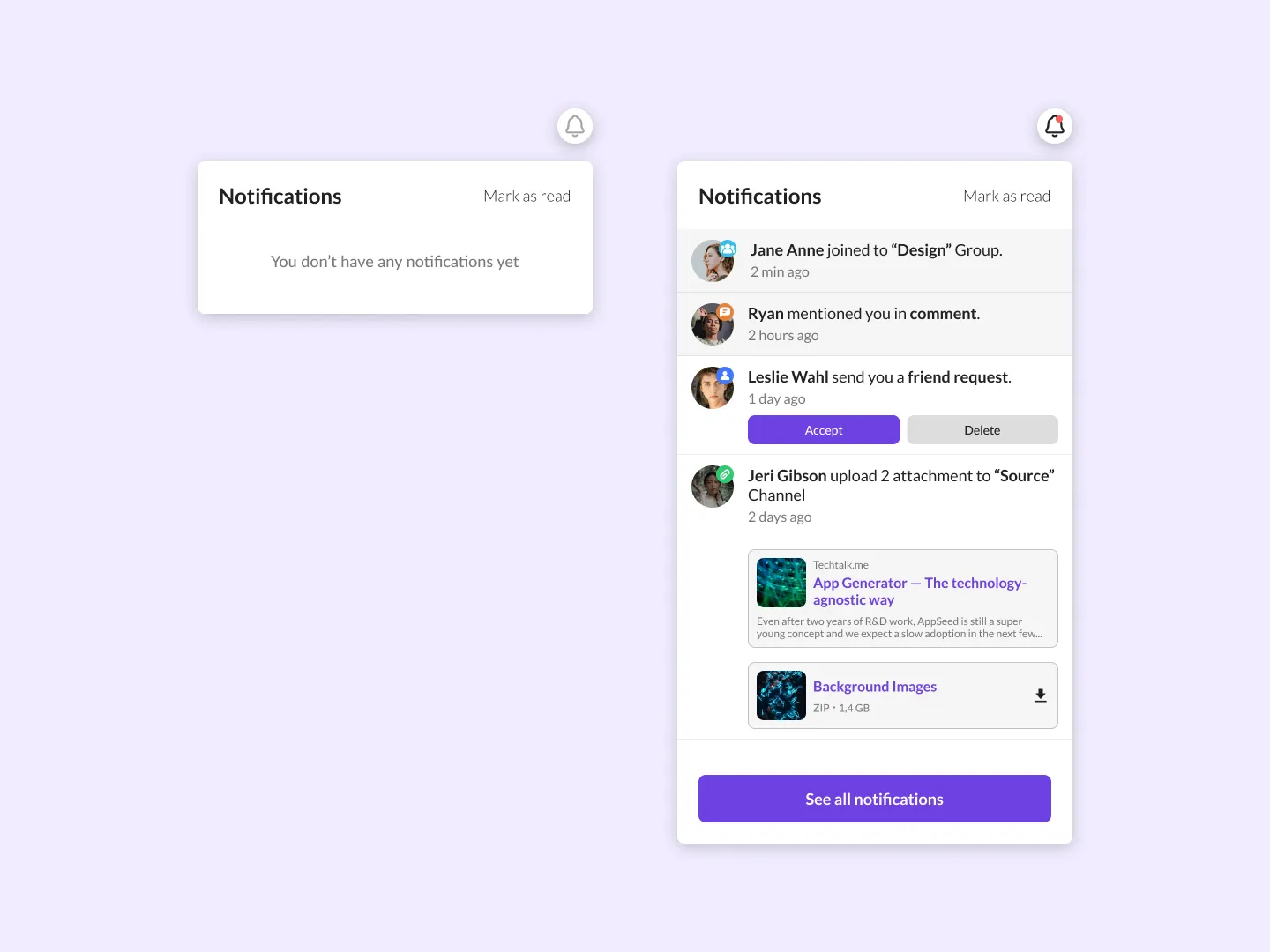
What you will learn: Polymorphic component rendering (different styles for different notification types), timestamp formatting, batch state updates, and dropdown positioning. Notification systems teach you how to handle heterogeneous data in a consistent UI.
Skill focus: Polymorphic components, state updates, dropdown patterns
14. Pet Adoption (Day 16)
Create a pet adoption listing page with animal cards showing photos, names, breeds, ages, and adoption status. Include filters for species, age, and availability. The design is a warm, friendly interface that showcases the pets attractively.
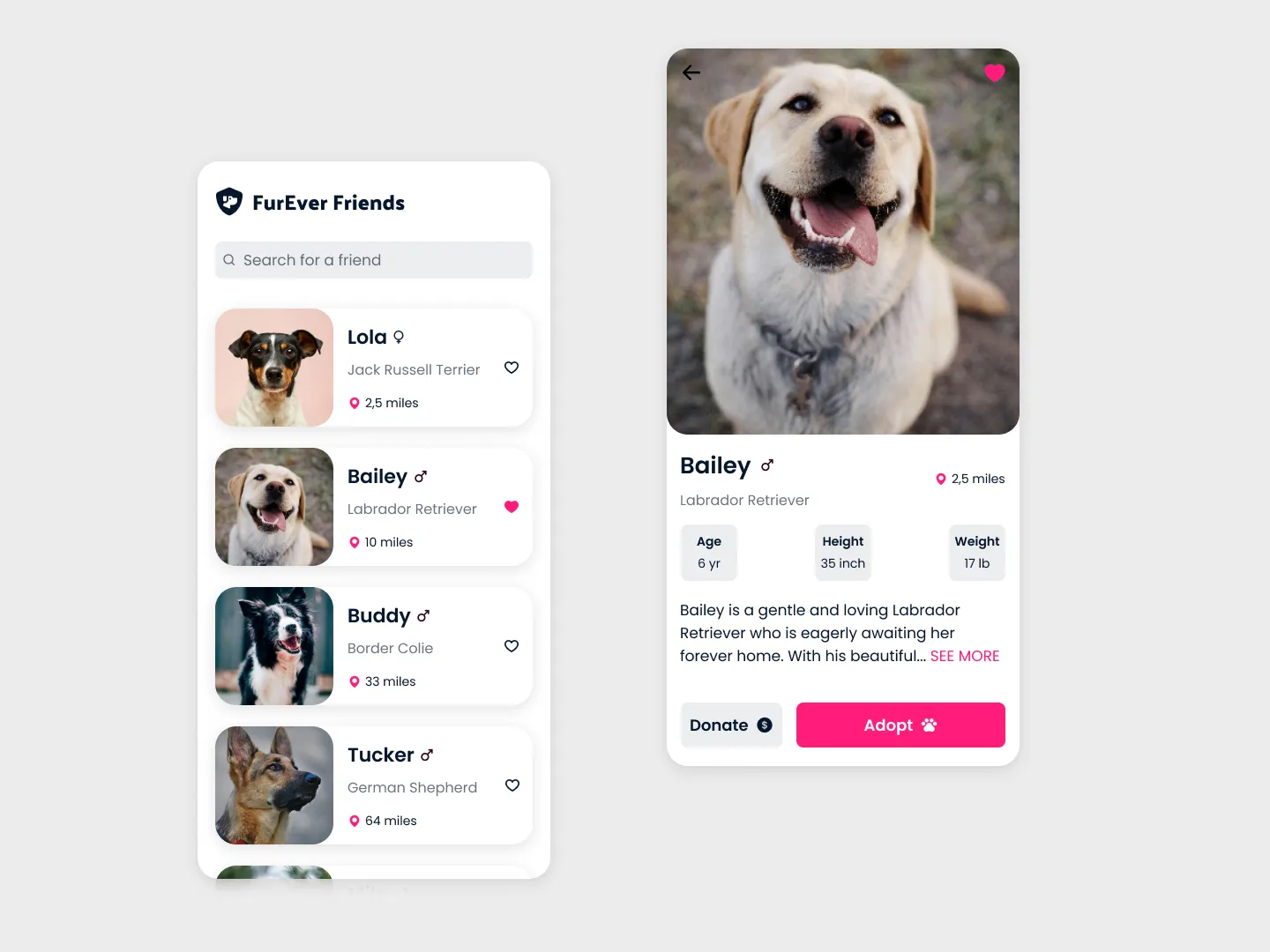
What you will learn: Multi-criteria filtering (combining species, age, and availability filters), card design with rich media, and empty state handling when no results match the filters. Real applications almost always need multi-filter interfaces — this challenge teaches the pattern.
Skill focus: Multi-criteria filtering, card design, empty states
15. News Slider (Day 17)
Build a news article slider with featured story cards, navigation arrows, autoplay functionality, and dot indicators. The Figma design shows a hero-style slider with smooth transitions between articles.
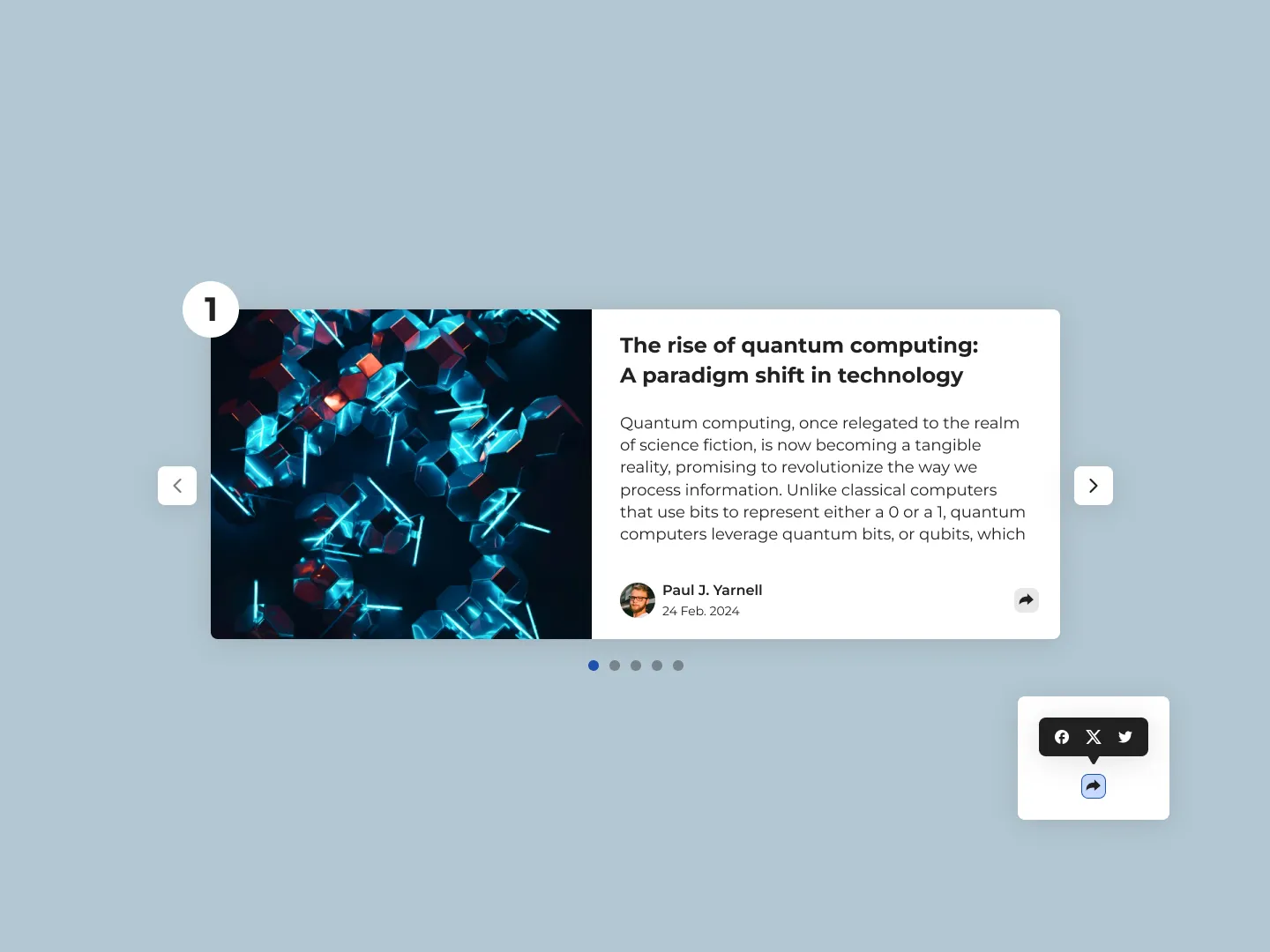
What you will learn: Carousel/slider mechanics (CSS transforms, transition timing, auto-advance with setInterval), pause-on-hover behavior, keyboard navigation, and touch gesture support. Sliders and carousels appear on nearly every marketing site and news platform.
Skill focus: Animation, auto-advance logic, keyboard/touch interaction
How to Get the Most Out of These Challenges
Completing a challenge is not the same as learning from it. Here is how to make sure each one sticks.
Build it yourself first. Do not look at other solutions before you try. The struggle is where the learning happens. Even if your first attempt does not match the Figma design perfectly, you will learn more from debugging it than from copying a clean solution.
Use the Figma design as your spec. Open the design file side by side with your code editor. Match the spacing, the colors, the typography. Building to a design spec is how professional development works — practicing it now means you will be ready on day one of your first job.
Try it in multiple frameworks. Built the Profile Card in Vanilla JS? Rebuild it in React. The BigDevSoon editor lets you switch frameworks without any setup. Building the same challenge in different technologies deepens your understanding of both.
Compare with other solutions. After you finish, browse how other developers approached the same challenge on the challenges page. You will discover patterns and techniques you did not think of.
Keep a log of what you learned. Write down the concepts, the gotchas, and the things that tripped you up from each challenge. When interview time comes, these notes become your study material. For interview preparation strategy, 10 Technical Interview Tips covers what you need to know.
Beyond Challenges: Full Projects and Practice Problems
Once you are comfortable with daily challenges, you have two natural next steps.
Full projects take you from building individual components to building complete applications. BigDevSoon has 21+ projects with Figma designs and task cards. Start with Junior-level projects like the Todo App (dark/light theme, drag-and-drop, 6 cards) or the Quiz App (scoring, timers, state management, 7 cards). When you are ready for more complexity, the Find Movies project teaches external API integration, debouncing, and infinite scroll across 9 task cards.
Practice problems sharpen your JavaScript logic. BigDevSoon has 40+ practice problems with built-in test cases that verify your solutions automatically. Problems like Two Sum (add two numbers together), Reverse String (return a string reversed), and Factorial (compute the factorial of a non-negative integer) cover the fundamentals, while more advanced ones like Sort Array (sort an array of integers in ascending order) and Palindrome Check (check if a string reads the same forwards and backwards) push your problem-solving further. While challenges focus on UI, practice problems focus on algorithms, data manipulation, and logic — the other half of being a well-rounded developer.
For a comprehensive comparison of where to practice, the best coding practice platforms guide covers the full landscape. And if you want free tools to complement your learning, check out free developer tools that require no signup.
Conclusion
The best coding challenges teach you skills you will actually use on the job. Algorithm puzzles have their place, but if you are a beginner trying to become a capable web developer, building real UI components from professional designs is what will get you there.
Start with the Getting Started challenges to build your visual foundation. Move through Building Confidence for interactivity and dynamic content. Graduate to Real-World Patterns when you are ready for production-level complexity. Each challenge builds on the last, and every one comes with a Figma design to keep your work grounded in reality.
The important thing is to start. Pick one challenge from this list, open the browser editor, and build it. You will learn more from one completed challenge than from reading ten tutorials.
If you want full access to all 100 challenges, 21+ projects, 40+ practice problems, and the Merlin AI assistant, use code SPRING50 at checkout for 50% off any plan. See plans.
Start with the challenges and build something today.
Practice what you just learned in our browser editor with AI assistance.
Try Demo Editor
Creator of BigDevSoon
Full-stack developer and educator passionate about helping developers build real-world skills through hands-on projects. Creator of BigDevSoon, a vibe coding platform with 21 projects, 100 coding challenges, 40+ practice problems, and Merlin AI.


Related Posts

Frontend Interview Prep: Practice Problems, Projects, and a Game Plan for 2026
Prepare for frontend developer interviews with real practice problems, portfolio-ready projects, and a structured game plan. No LeetCode grind required.
Best Vibe Coding & Practice Platforms in 2026: An Honest Guide
Comparing BigDevSoon, Frontend Mentor, LeetCode, and freeCodeCamp — vibe coding, traditional practice, pricing, and which platform fits your learning style.
10 CSS Features That Replace JavaScript — No Libraries, No Build Step
CSS can now replace scroll listeners, positioning libraries, animation frameworks, and Sass preprocessors. 10 interactive demos you can edit live.